




Buy, Renew or Give a Membership
Help articles may not be fully accurate — they can lag behind the app due to frequent updates and automated translation. If in doubt, please contact support.
On this page
- 1. Choose a plan
- 2. Buy a membership
- 3. Renew
- 4. Give a membership
- 5. When a plan is full
- 6. Good to know
- 7. Troubleshooting
- 8. Related
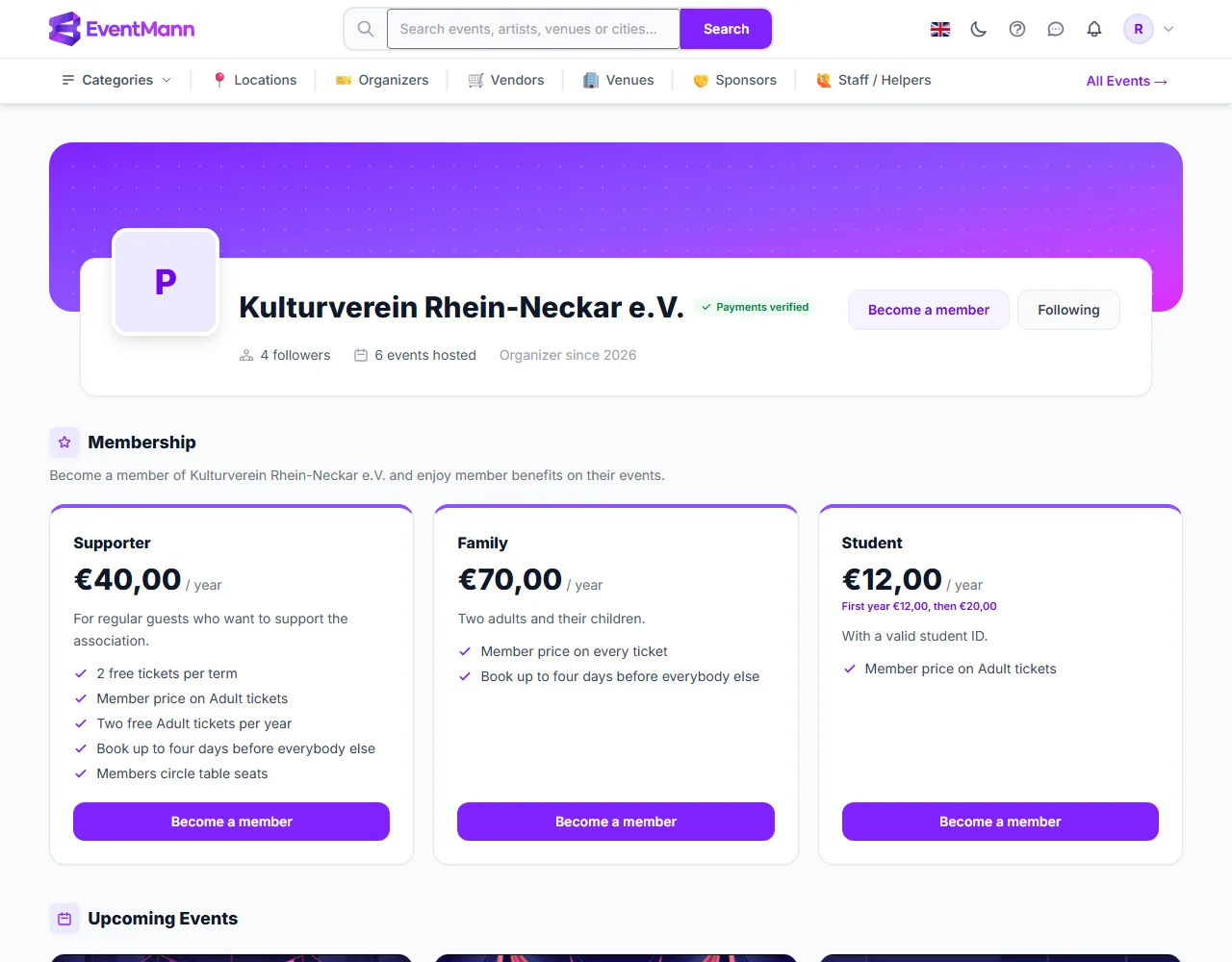
An organizer that offers memberships lists its plans on its own page, in a Membership section ①, with a Become a member button at the top. Buying one is a short checkout, separate from buying event tickets. You need a signed-in account with a verified email address.
Choose a plan
Each plan card ② shows the price and how long it lasts (/ year, / month, or a fixed season), what it includes and the benefits the organizer lists. Things you may see on a card:
- 2 free tickets per term — a number of tickets you may take free of charge during the membership (see Member Benefits).
- First year €12,00, then €20,00 ③ — an introductory price for your first term. It applies if you have never held or been given this plan; renewals and gifts pay the regular price.
- Sales open on …, Sold out — the organizer can open sales on a date, close them, or cap the number of members. A plan that is full offers Join the waitlist (see below).
- A plan for one season has the same start and end date for everybody. Buying in the middle of the season does not backdate it; after it ended, the plan is not for sale.
Buy a membership
- Open the organizer’s page and press Become a member ④ under the plan you want.
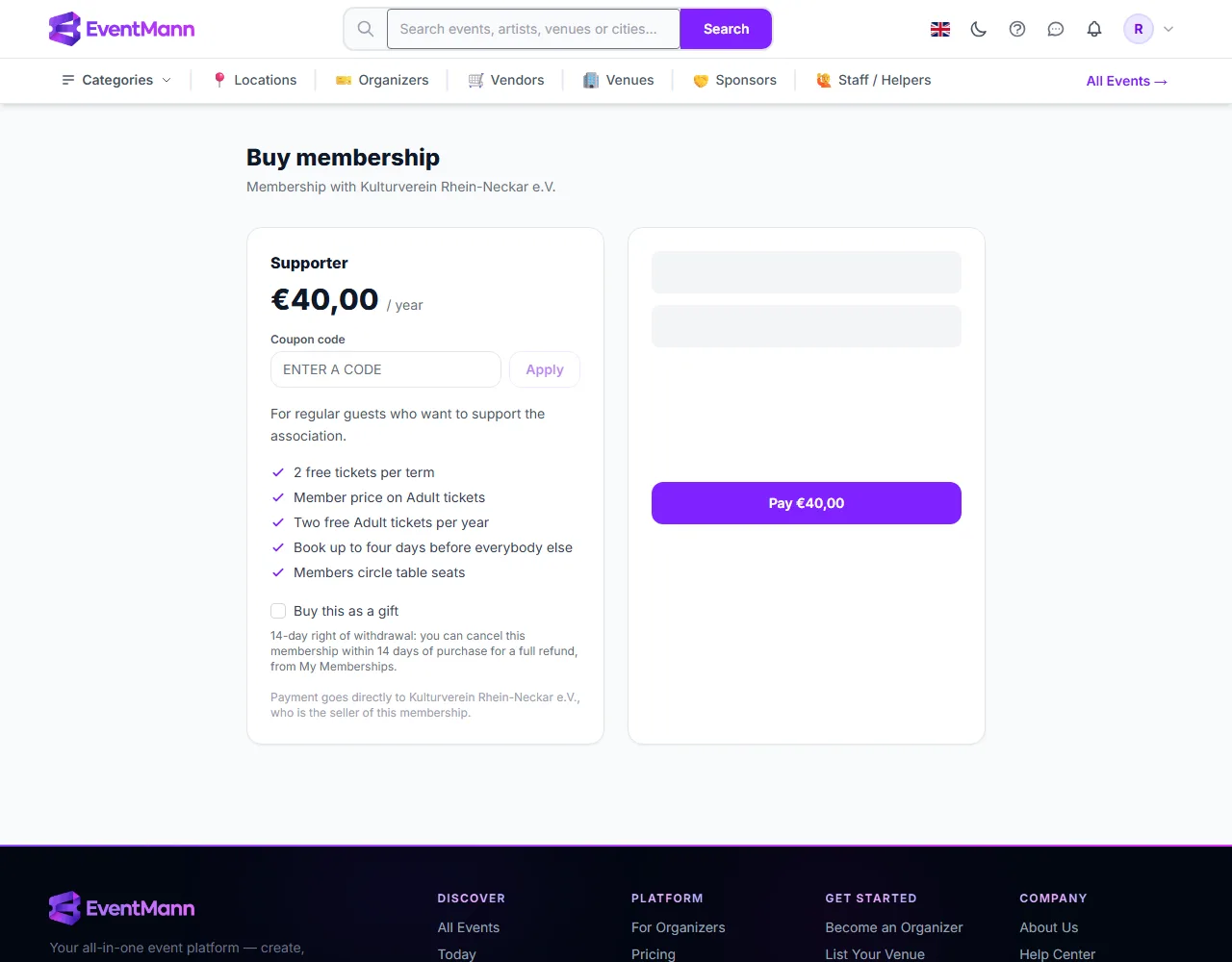
- If you have a code, enter it in Coupon code ① and press Apply. You see how much you save. A code cannot take the price below the minimum card charge of €0.50, and cannot be used past its limit or expiry.
- Read the notes: the 14-day right of withdrawal ③, and that payment goes directly to the organizer, who is the seller.
- Press Pay ④ with the amount and complete the secure Stripe payment, as in Checkout Process.
- You land on My Memberships and receive an email with your invoice. The membership starts at once, and the member price and other benefits apply from your next checkout.
The price includes VAT where the organizer charges it. A membership exists only after the payment succeeded, so a failed or abandoned payment leaves nothing behind.
Renew
Memberships do not renew by themselves; nothing is charged again unless you buy again. Press Renew on the card in My Memberships (shown when 60 days or fewer remain) or on the organizer’s page. Renewing while you are still a member starts the new term when the current one ends, so you lose nothing: the checkout says The new term starts when your current one ends on …. If your membership lapsed, the new term starts today. You are reminded by email 14 and 7 days before the end.
Give a membership
- On the checkout page switch on Buy this as a gift.
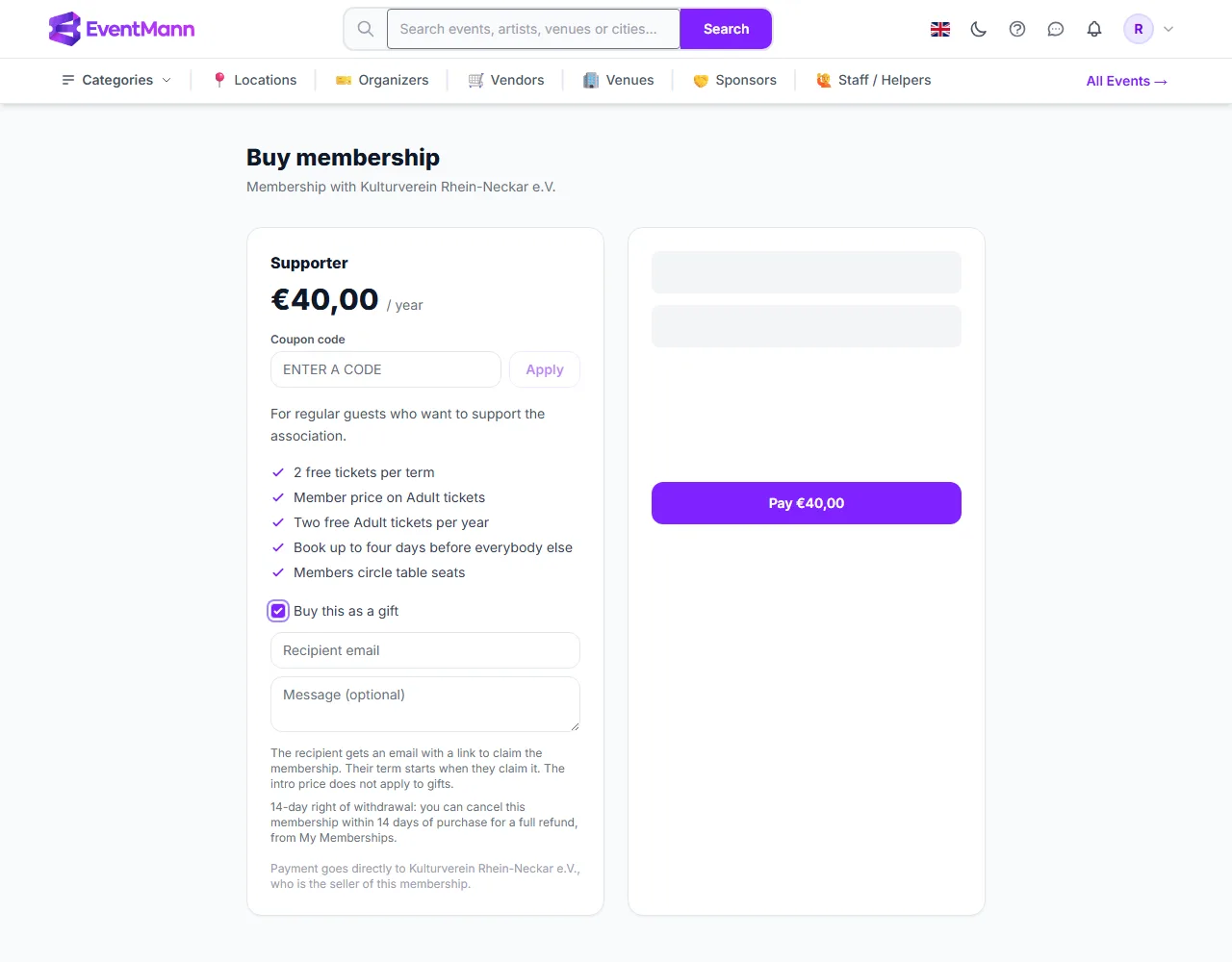
- Enter the Recipient email and, if you like, a Message (optional).
- Pay as usual. You pay the regular price; the introductory price does not apply to gifts.
- The recipient gets an email with a link and the text A membership gift for you. They sign in or create an account and press Claim membership. Their term starts on the day they claim it and runs for one full period.
- You cannot claim a gift you bought yourself, and you cannot gift a membership to your own address.
- Until it is claimed, the gift is listed under Gifts you gave in your My Memberships, with Resend the claim email. You keep the invoice and the 14-day right to cancel and be refunded.
When a plan is full
If the organizer capped the number of members and the plan is full, press Join the waitlist. You are emailed when a place opens. It is not reserved for you, so buy it soon. Leave the waitlist removes you. A current member renewing never needs a free place.
Good to know
- Only organizers with working payments can sell memberships. If they cannot, the plan page says why instead of offering a button.
- You can cancel within 14 days for a full refund, whether or not you used any benefit (see Memberships).
- You can hold memberships with several organizers; each has its own card.
Troubleshooting
- There is no Become a member button — the organizer sells no memberships, sales are closed or not open yet, or the plan is full or has ended.
- It asks me to verify my email — memberships can only be bought with a verified email. Use the verification email, or send a new one from your profile.
- My coupon is refused — it may be for another plan, expired, used up, already used by you as often as allowed, or it would bring the price under the minimum.
- The payment failed — nothing was bought. Try again or use another method.