




Memberships
Help articles may not be fully accurate — they can lag behind the app due to frequent updates and automated translation. If in doubt, please contact support.
On this page
- 1. What you can do here
- 2. The member card
- 3. Cancel within 14 days
- 4. Good to know
- 5. Troubleshooting
- 6. Related
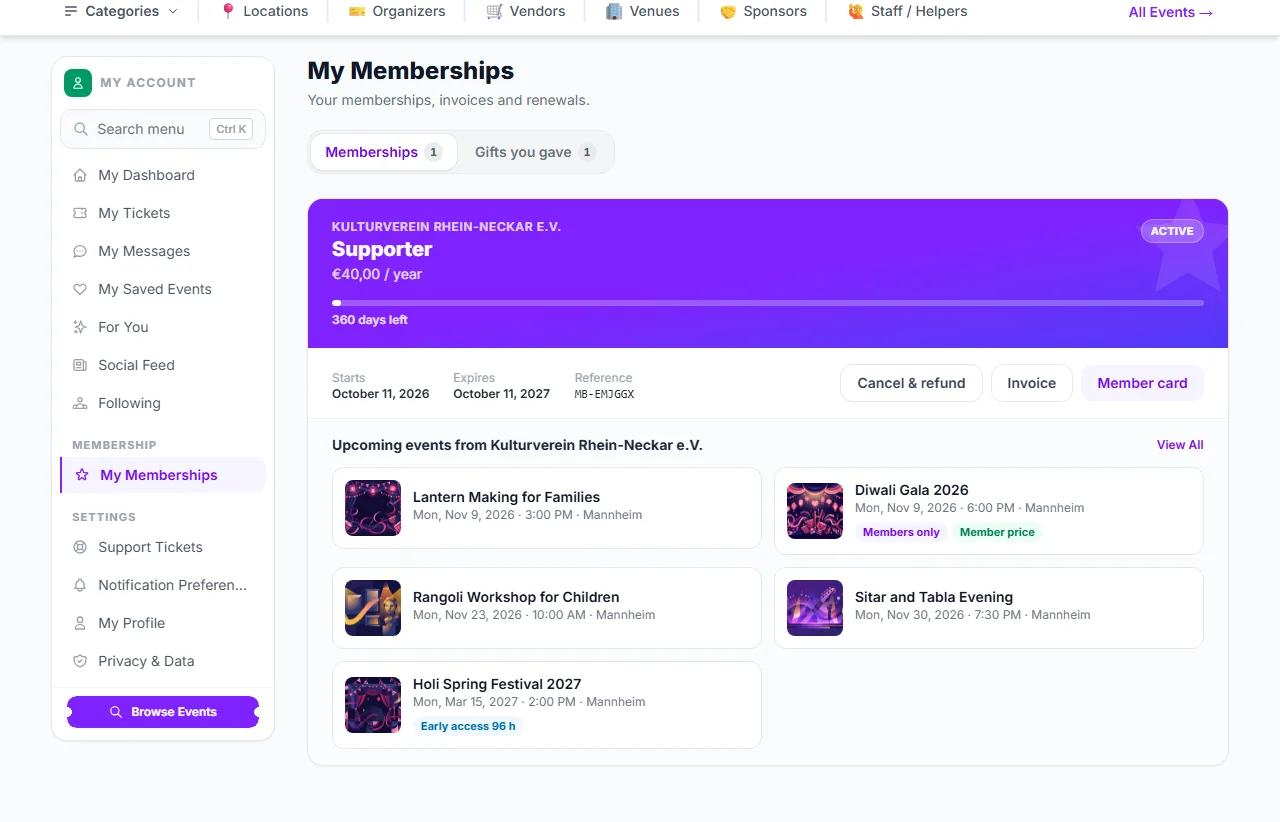
Some organizers sell memberships: a pass for a month, a year or a season that gives you benefits at their events. My Memberships is the page where you see what you hold, show your member card, renew, download invoices, follow the gifts you gave and, within 14 days of buying, cancel for a full refund. Open it with My Memberships in the account sidebar. To buy one, see Buy, Renew or Give a Membership; to see what a membership gets you, see Member Benefits.
What you can do here
- Check a membership — each card shows the plan, the organizer, the price and interval, the start and end dates and a reference (it starts with
MB-). A badge says Active, Expired or Revoked. A membership bought for a later season shows the day it starts. - Cancel & refund ① — available for 14 days after purchase (see below).
- Show your member card ② — opens a card with a QR code (see below).
- Download the invoice ③ — every purchase comes with an invoice from the organizer, also attached to the confirmation email.
- Renew — the Renew button appears when the membership has 60 days or less left and the plan can still be bought. Memberships never renew by themselves.
- See what it is good for — under the card, the organizer’s upcoming events are listed, with badges for Members only, Member price and Early access where they apply.
- Follow your gifts ④ — Gifts you gave lists memberships you bought for others, with Not yet claimed or Claimed by … and a Resend the claim email button while they are unclaimed.
The member card
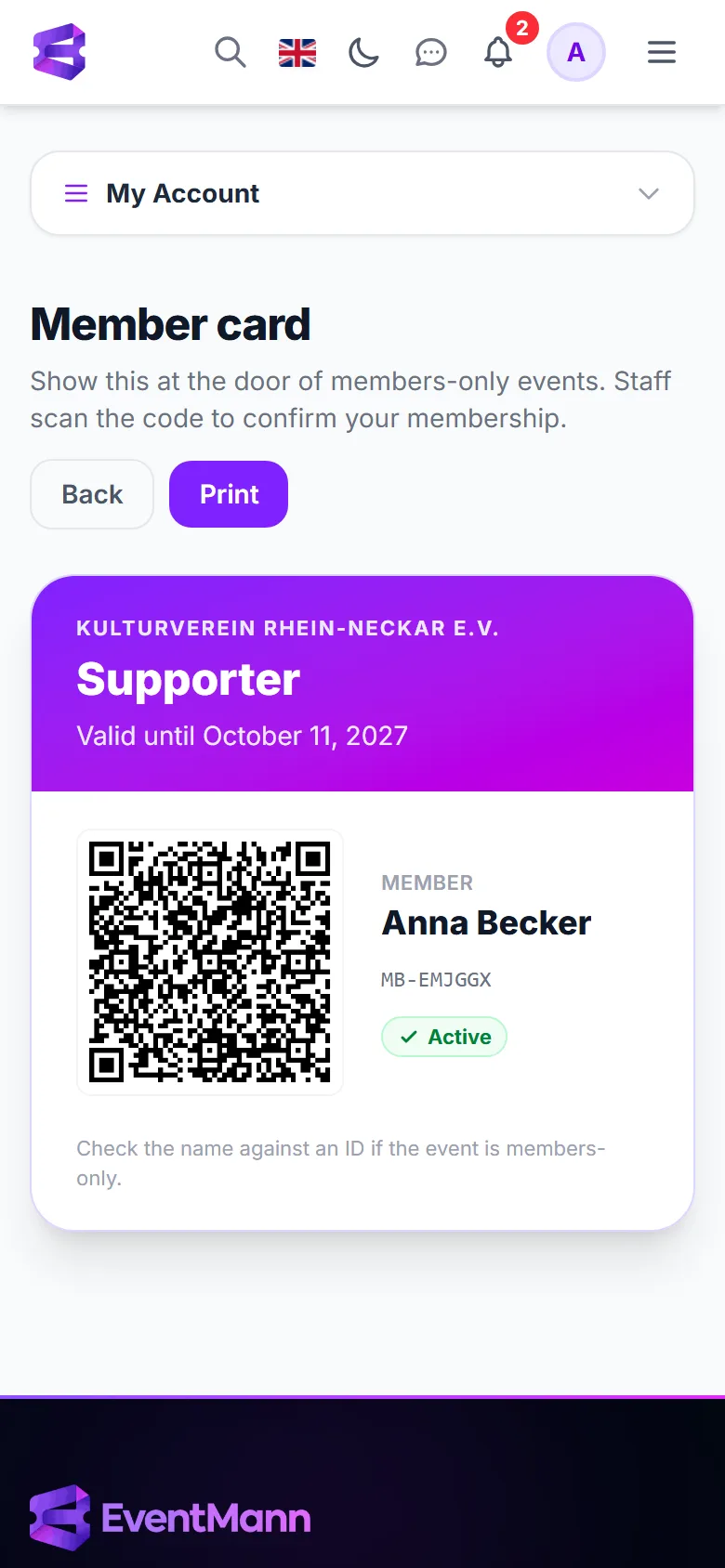
Press Member card to open a card that carries your name, the plan, the date it is valid until and a QR code. At a members-only event, staff can scan the code, which opens a page that shows whether the membership is active right now. They are asked to compare the name with an ID. There is a Print button if you prefer paper. The code works only while the membership is active.
Cancel within 14 days
- On the membership card press Cancel & refund (it is only there for 14 days after purchase).
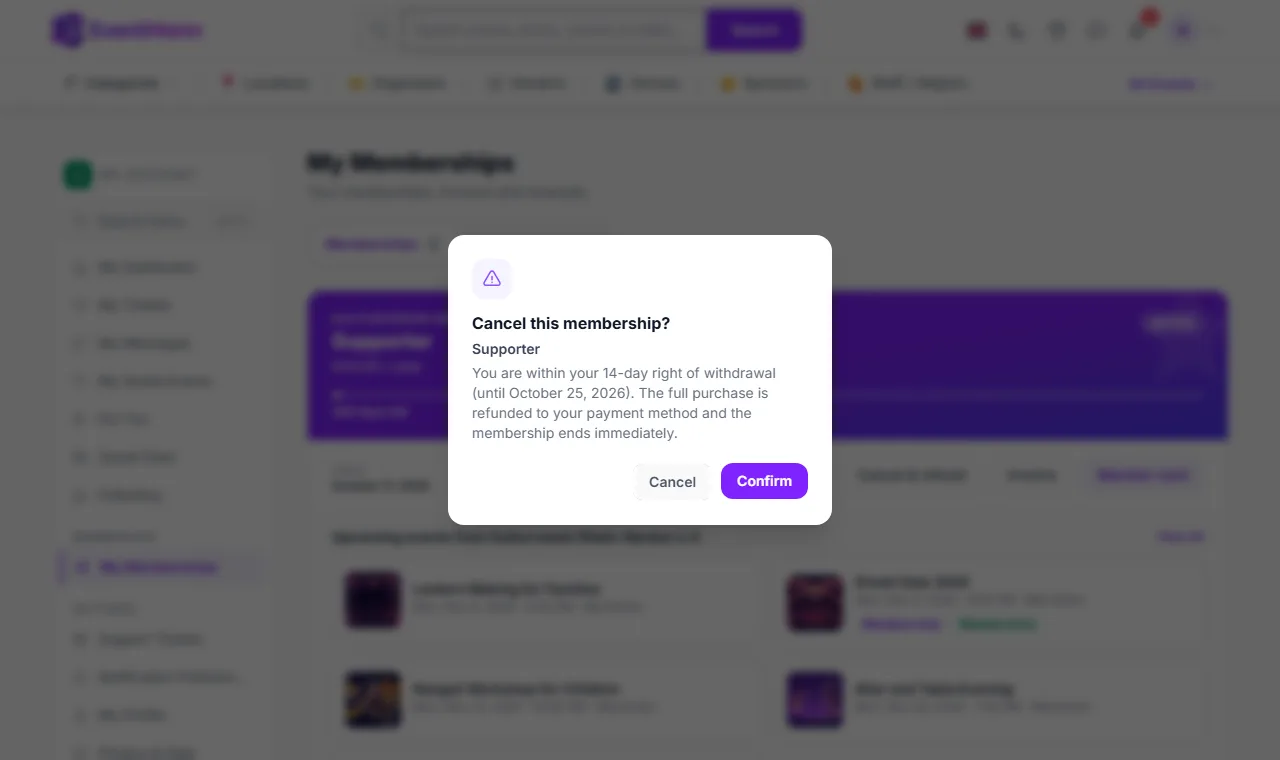
- Read the dialog: You are within your 14-day right of withdrawal (until …). The full purchase is refunded to your payment method and the membership ends immediately.
- Confirm. You see Membership cancelled. The full amount is on its way back to your payment method.
- The refund is complete whether or not you used any benefits. You do not have to give a reason.
- The money comes from the organizer, who sold you the membership. If the refund cannot be processed at that moment, you see Your membership is unchanged — please try again shortly or contact the organizer, and nothing is lost.
- After 14 days the button is gone. Contact the organizer if you want to end a membership earlier; they can end it and refund you.
- The buyer of a gift has the same 14 days.
Good to know
- No membership renews automatically and nothing is charged again without you buying it again. You get reminders by email 14 and 7 days before the end, and a note after it has lapsed. Renewing early adds the new term after the one you hold, so you lose no days.
- A membership stays usable for 7 days after its end date, as a grace period.
- The price you paid includes VAT where it applies; the invoice shows the tax.
- Benefits apply to the account that holds the membership. Sign in with that account when you buy tickets.
- An organizer can also add you to their member list. You then get an email with a link to activate your account; the membership is yours from the start.
Troubleshooting
- I do not get the member price — check that you are signed in with the account that holds the membership, that it has not ended, and that the ticket type has a member price. See Member Benefits.
- There is no Cancel & refund button — more than 14 days have passed since the purchase, or the membership was already cancelled.
- The gift link does not work — it may already be claimed. The person who bought it can send the email again from Gifts you gave.
- My membership shows Revoked — the organizer ended it. Their message to you says why; refunds in that case come from the organizer.