




Search
General
3 min read
Help articles may not be fully accurate — they can lag behind the app due to frequent updates and automated translation. If in doubt, please contact support.
On this page
- 1. What you can filter by
- 2. How to search
- 3. Good to know
- 4. Troubleshooting
- 5. Related
Search is the finder to use when you know roughly what you want: a word, a city, a date range or a budget. It lives at /search: open it with Advanced search next to the result count on the Events page, which carries your search words along. It puts every filter in one place. No account is needed. The search box in the top bar is a lighter tool: it opens the Events page filtered by your words, which match the event name, city and venue only.
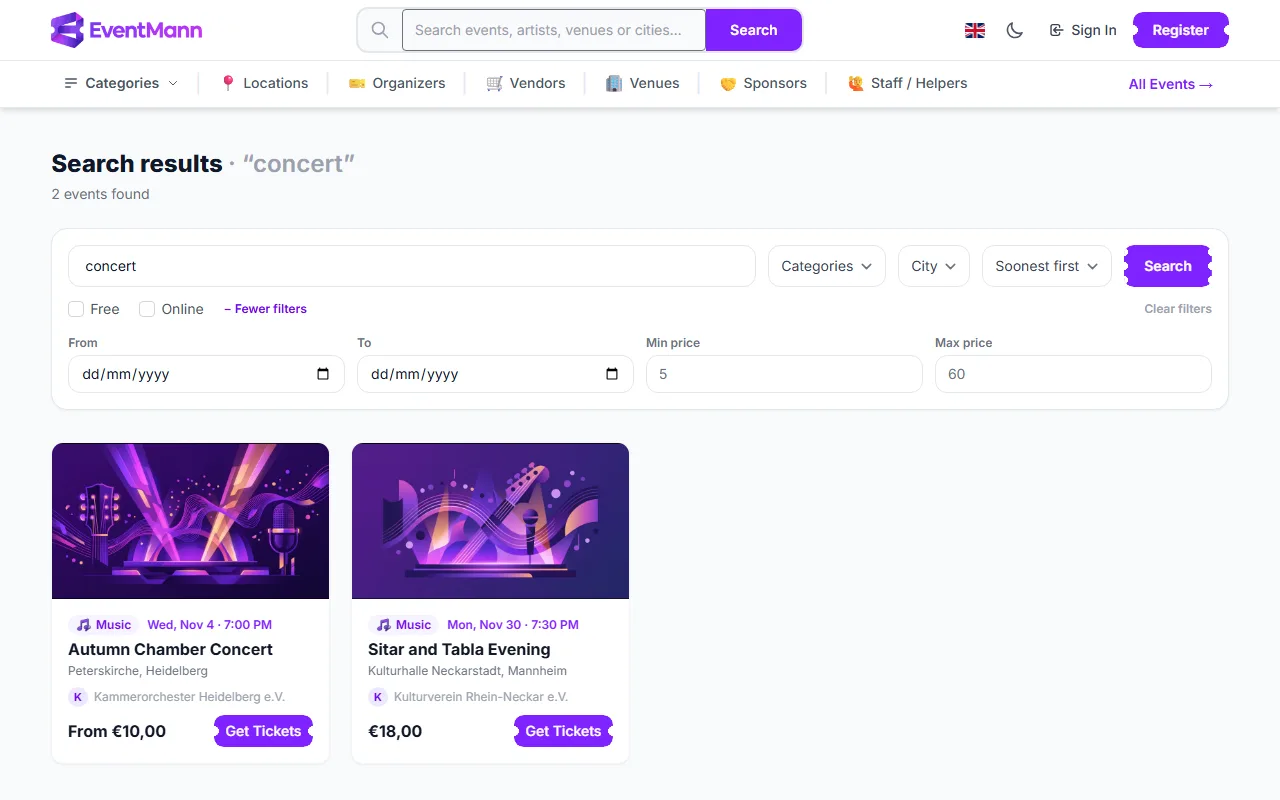
What you can filter by
- Keyword ① — matches the event title, description, venue and city.
- Categories and City — two lists that only offer values that currently have upcoming events, with the number of events next to each category.
- Free ③ and Online — check boxes. Free keeps events that have at least one free ticket type on sale; Online keeps online events.
- More filters — a From and To date, and a Min price and Max price. The price range keeps events with at least one ticket type on sale inside it.
- Sort ② — Soonest first, Latest first, Title A–Z, Price: low to high and Price: high to low. Price sorting goes by the cheapest ticket type on sale for each event.
How to search
- Type a keyword in the box ① and press Search, or leave it empty and use only the filters.
- Set any filters. Press + More filters for dates and prices.
- The page shows how many events were found, twelve to a page. Use Clear filters to start again.
Good to know
- Only events that are live, public and not yet started are found. A private event (direct link only), a draft or a paused event never appears.
- Search is not narrowed to your country, unlike the Events page. See Browse Events.
- The filters are kept in the page address, so you can bookmark a search or send it to someone.
- When a search finds nothing, the page shows a short list of events that have been booked a lot in the last seven days, so you are not left with a blank page.
- Members-only and volunteer-only ticket types do not influence the price shown or the price filters, so an event is never listed as free only because of a thank-you ticket for volunteers.
Troubleshooting
- I get no results for a word I know exists — a filter from an earlier search may still be set (price, dates, Free, Online). Press Clear filters.
- The price filter seems odd for an event with several tiers — an event matches when any ticket type on sale falls in your range; the card then shows its lowest price.
- An event I can open directly is missing — it is private, not live or already started.
- The category list lacks a category — categories without upcoming public events are left out.