




Landing Pages
Organizer Guide
3 min read
Help articles may not be fully accurate — they can lag behind the app due to frequent updates and automated translation. If in doubt, please contact support.
On this page
- 1. Build a page
- 2. Section types
- 3. Good to know
- 4. Troubleshooting
- 5. Related
A landing page is a simple standalone web page for one event, published at /lp/your-page on EventMann. Use it when you want a page of your own to put in a poster, a WhatsApp group or an advert: a headline, a few sections of text, and a Get Tickets button that leads to the event. Find them under Grow → Marketing → Landing Pages.
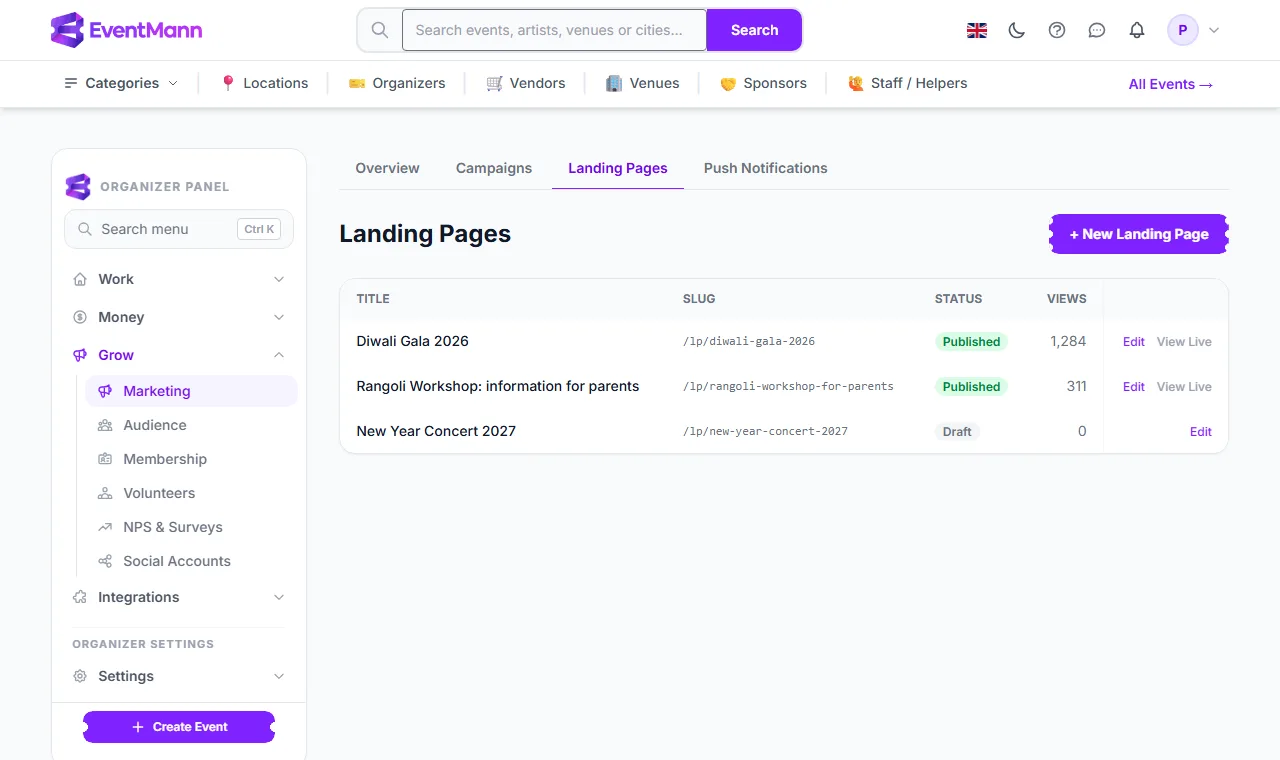
- Click + New Landing Page ① to start one.
- The Slug column ② is the end of the page’s address (
/lp/diwali-gala-2026). - The Views column ③ counts how many times the published page has been opened.
- View Live ④ opens the published page in a new tab. It only appears for published pages.
Build a page
Click Edit next to a page (or create a new one). The editor has two parts: Page Settings and Sections.
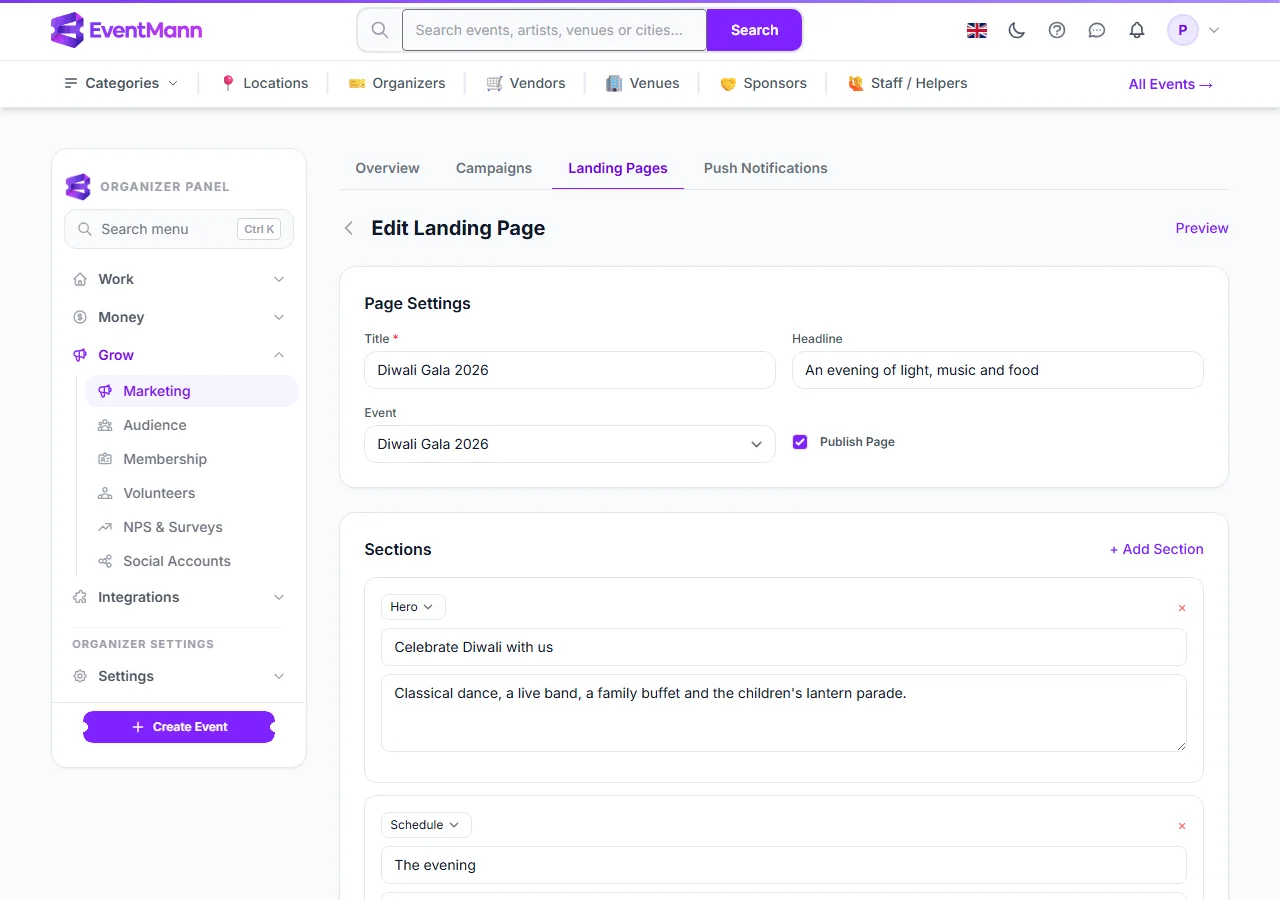
- Type a Title ①. It becomes the browser tab title and, on a new page, the start of the address.
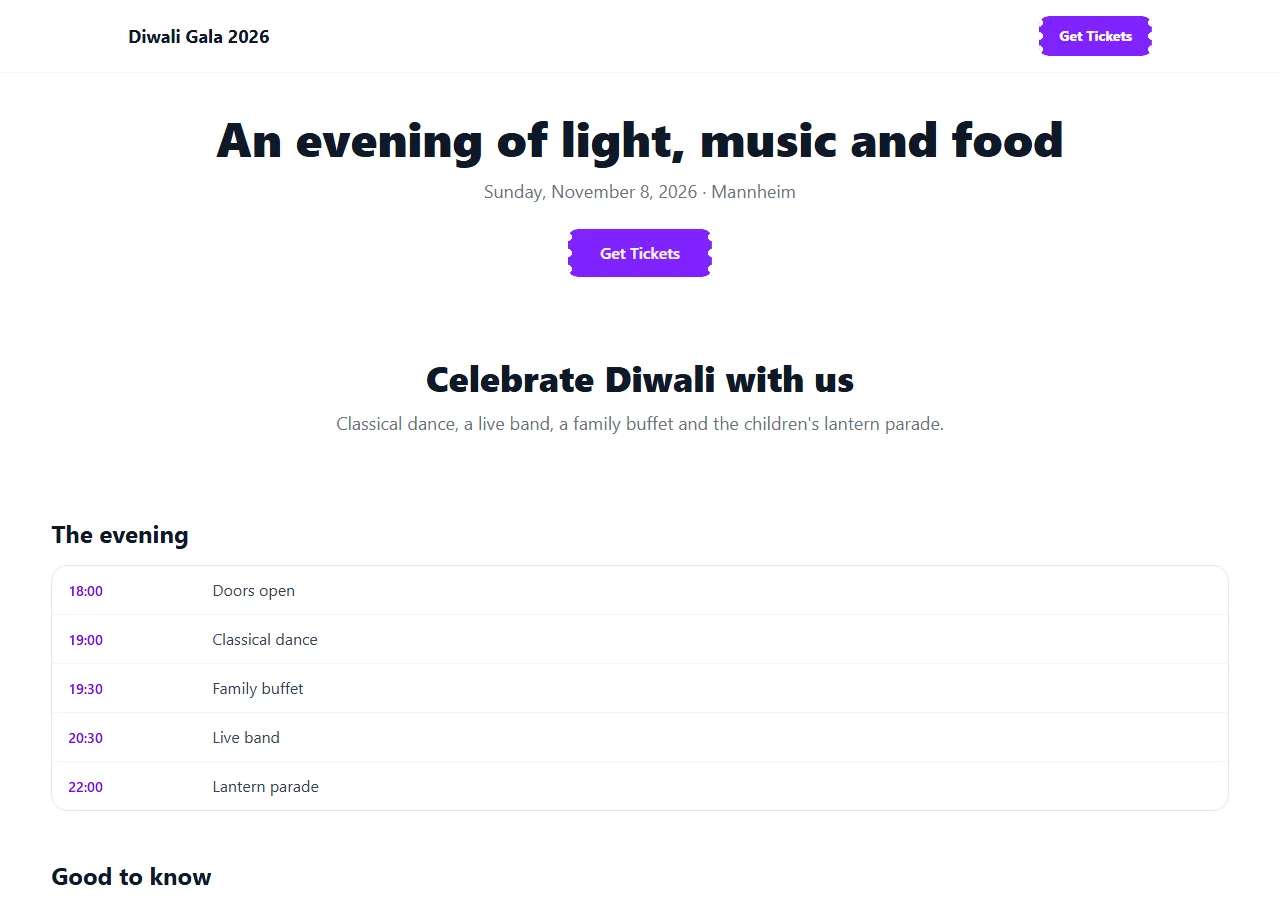
- Choose the Event ② the page sells. With an event, the page gets a top bar with the event name and a Get Tickets button, and your headline is followed by the date and city.
- Tick Publish Page ③ when it is ready. Until then the page is a draft that only you can open with Preview.
- Under Sections ④ build the page from top to bottom. Click + Add Section ⑤, pick a type, add a heading and text, and use × to remove a section.
- Click Save.
Section types
| Type | What you type | How it looks |
|---|---|---|
| Hero | A heading and a short text | A large, centred announcement. |
| Text | A heading and paragraphs | Plain text; your line breaks are kept. |
| Speakers | One per line: Name — Role | A card for each person. |
| Schedule | One per line: Time — What | A timetable with times on the left. |
| FAQ | One per line: Question | Answer | Questions that open to show the answer. |
| CTA | A heading and a short text | A highlighted box with a Get Tickets button (when an event is chosen). |
Good to know
- The address is created once, from the title plus a few random characters so it is unique. You cannot change it afterwards, so decide the title before you print the link.
- Pages contain text only: there is no image upload and no colour or theme setting.
- EventMann does not list landing pages anywhere on the site. A page is found only through the link you share.
- Un-ticking Publish Page takes the page offline at once; the link then shows a not-found page.
- The event page itself stays the place where tickets are sold. The landing page only leads to it.
Troubleshooting
- The link shows “not found” — the page is not published. Tick Publish Page and save.
- There is no Get Tickets button — no event is chosen. Pick one under Page Settings.
- A list section looks wrong — each line must follow the format shown under the section:
Time — What,Name — RoleorQuestion | Answer. - Views looks high — every load of the published page counts, including your own visits to the live link. Preview does not count.