




Event Insights
Organizer Guide
3 min read
Help articles may not be fully accurate — they can lag behind the app due to frequent updates and automated translation. If in doubt, please contact support.
On this page
Event Insights answers “who is buying, when, and how fast?” for one event. Open the event, then Analytics & Reports → Analytics and click the Event Insights tab. It needs the permission to view the event. (The checklist and to-do list for the event is a separate page: Event Intelligence.)
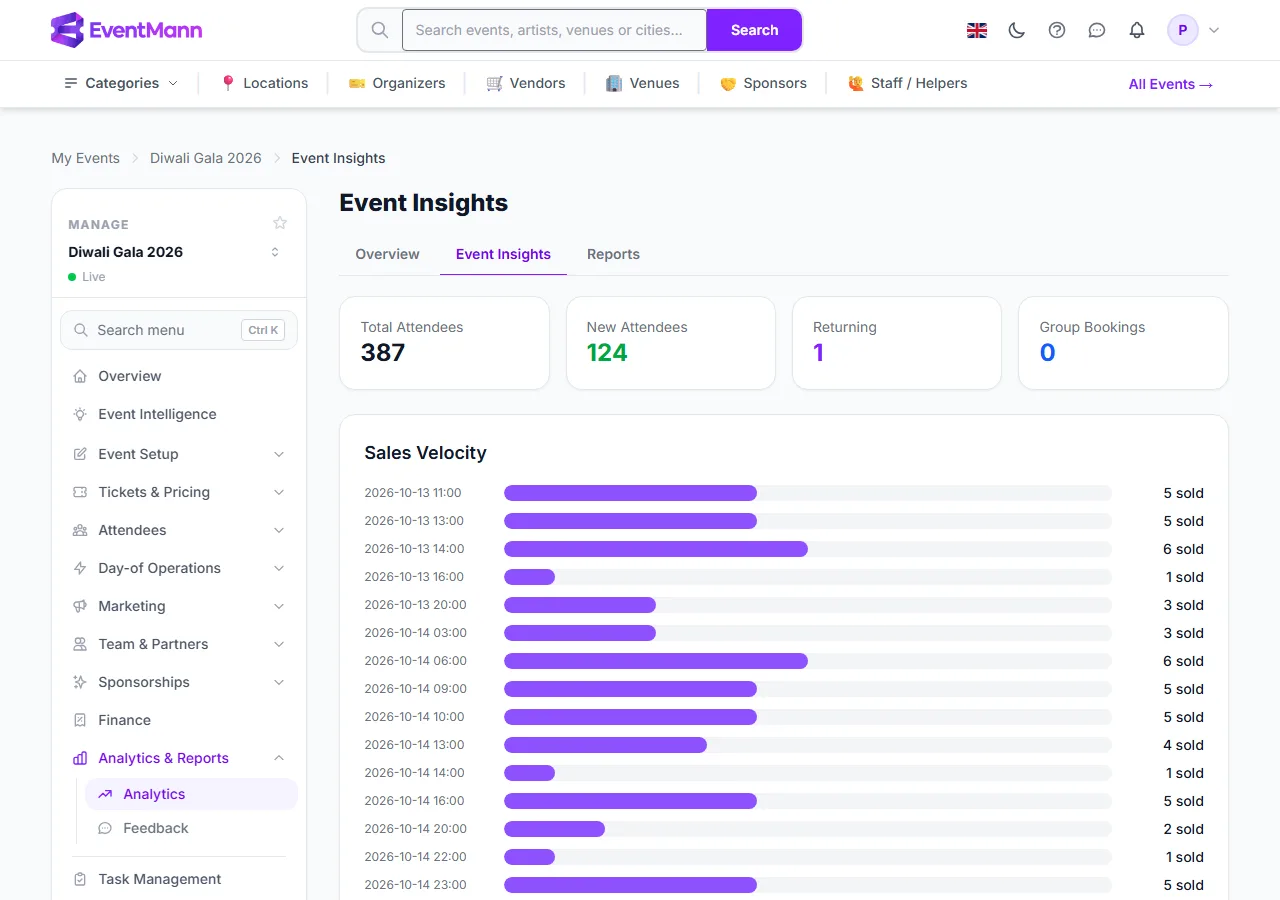
- Click the Event Insights tab ①.
- Total Attendees ② counts tickets on confirmed orders.
- New Attendees ③ counts buyers who have no confirmed booking for any other event.
- Sales Velocity ④ lists tickets sold hour by hour, from the first order.
Where your buyers come from, and what they buy
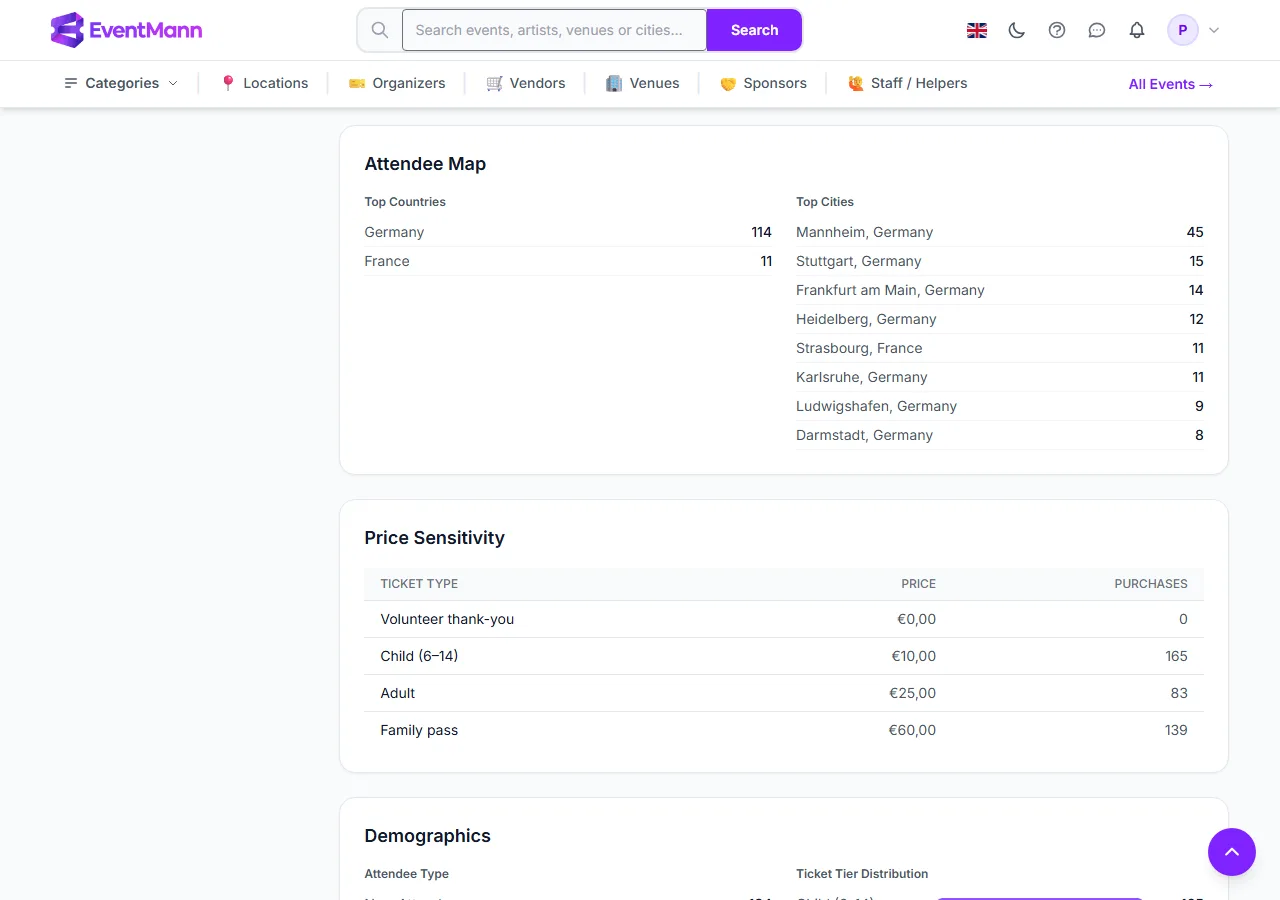
- Attendee Map ① lists the top countries and cities by number of orders.
- Price Sensitivity ② shows each ticket type with its price and how many tickets were bought. EventMann does not measure how many people looked at a ticket, so no conversion rate is shown.
- Demographics ③ splits buyers into new and returning, orders into individual and group, and tickets by tier.
How fast it is selling
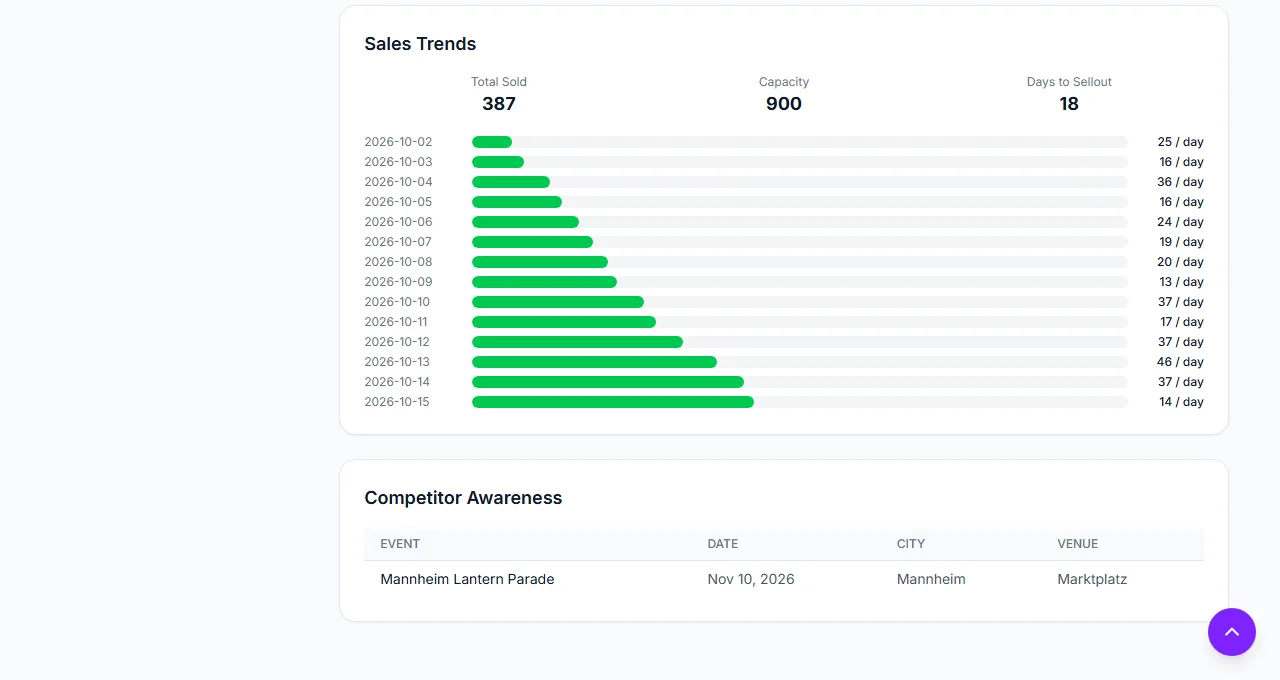
- Sales Trends ① shows total sold, capacity and a projected Days to Sellout, then tickets per day. The projection uses the last seven calendar days (quiet days count as zero), so one launch-day spike does not make it look healthier than it is. If nothing sold in those seven days it falls back to the average pace since the first sale. It shows N/A when there is nothing to project, for example no sales yet.
- Competitor Awareness ② lists other organizers’ public live events in the same category or city within four weeks either side of yours (up to 20), with date, city and venue.
Definitions
- Returning means the buyer (by account, or by email address for a guest) has a confirmed booking for another event on EventMann. New plus returning equals the number of distinct buyers.
- Group Bookings counts orders with a ticket line covering more than one seat; ordinary multi-ticket orders from the checkout count as individual.
- Orders are counted at the time they were placed.
Good to know
- A brand-new event shows mostly empty states until people buy.
- These figures cover confirmed orders only.
- Competitor Awareness never lists your own events and only lists events that are public.
Troubleshooting
- A section is empty — there is no data behind it yet, for example no orders with a city, or no competing events nearby.
- Days to Sellout shows N/A — there are no sales yet, or the event has no tickets left to sell.
- The cities do not add up to my orders — only orders that have a country on them appear on the map.