




NPS & Surveys
Organizer Guide
3 min read
Help articles may not be fully accurate — they can lag behind the app due to frequent updates and automated translation. If in doubt, please contact support.
On this page
Net Promoter Score (NPS) is one question: “How likely are you to recommend us to a friend, from 0 to 10?” The NPS & Surveys page (Grow → NPS & Surveys) shows your score for every event that has collected answers, so you can see whether guests are getting happier over time. Surveys themselves are built and read per event; see Surveys.
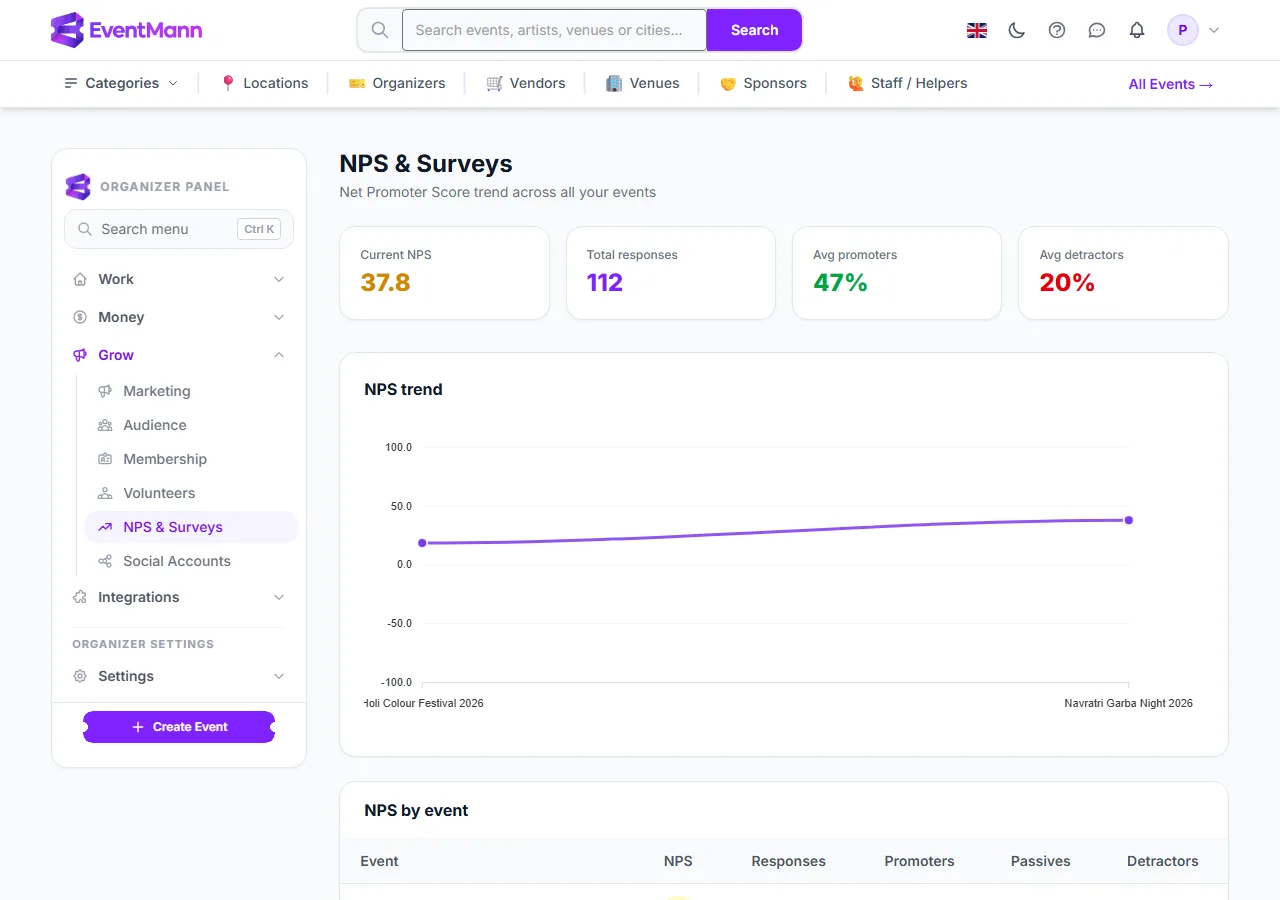
- Open Grow → NPS & Surveys ①.
- Current NPS ② is the score of your most recent event with answers. Green means 50 or more, amber 0 to 49, red below 0.
- Avg promoters ③ (and Avg detractors beside it) is the average of each event’s share. Total responses counts every answer.
- The NPS trend chart ④ plots one point per event, in the order the events took place.
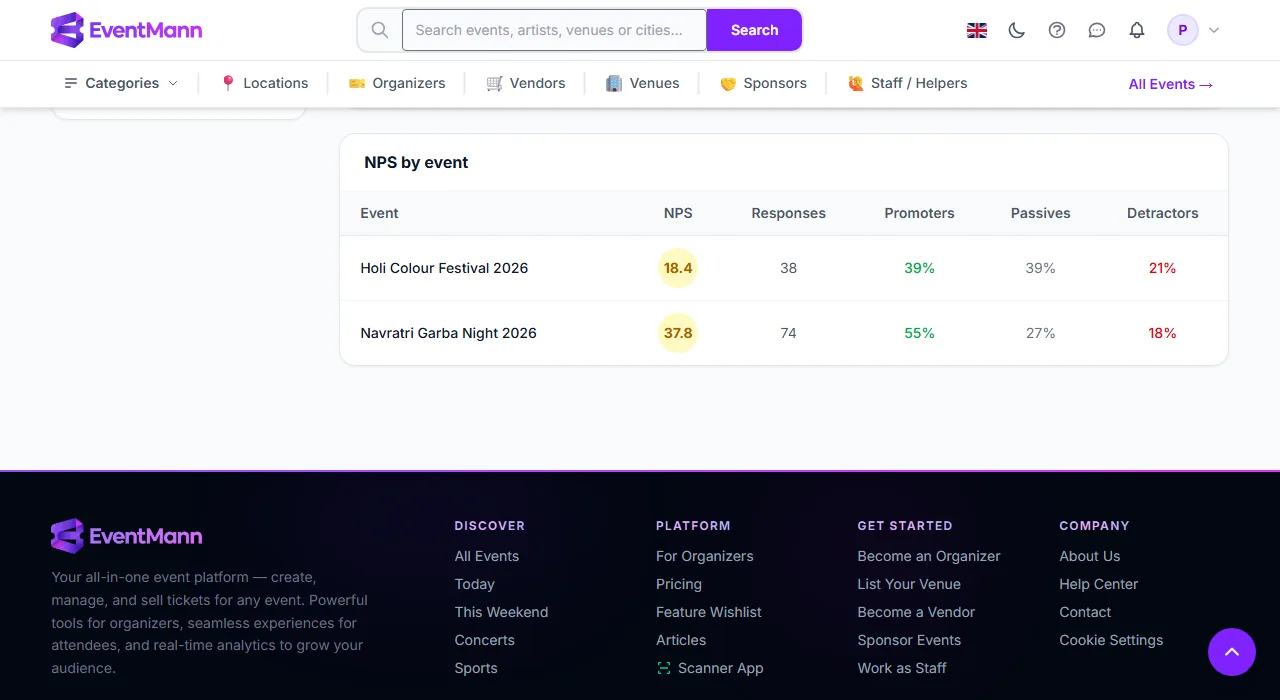
Below the chart, NPS by event lists each event’s NPS ①, number of responses and the shares of Promoters ②, Passives and Detractors ③.
How the score is calculated
- Each answer is 0 to 10. 9 or 10 is a promoter, 7 or 8 is a passive, and 0 to 6 is a detractor.
- NPS = (promoters − detractors) ÷ all answers × 100, rounded to one decimal. It always falls between −100 and +100.
- Only questions of type NPS (0–10) feed the score. A survey without one never produces an NPS.
What counts
- One point per survey that has at least one NPS answer. An event with several surveys appears once per survey.
- Only answers from people who really held a ticket (or an invitation) count. Answers from a survey’s shareable open link can come from anybody the link reached, so they are left out of the NPS and the response figures, though you can still read them on the survey’s own results page.
How guests get the survey
- A survey can be sent automatically after the event (you choose the delay after the event ends) to every confirmed booking. Each booking is invited once, and guests without an account can answer through a personal link in the email.
- You can also attach a survey to an email campaign as a “Take the survey” button, or put it in an After the event follow-up.
- Survey email is advertising under German law, so it is only sent to people who have not opted out of marketing email and are not on your suppression list.
Good to know
- A survey that is switched off or past its closing time no longer collects answers, and no new invitations or reminders go out for it.
- With very few answers the score swings widely. Treat a score from fewer than 20 or 30 answers as a hint.
Troubleshooting
- The page says there is no data yet — none of your surveys has an NPS answer. Add an NPS question and wait for answers.
- A survey shows no NPS score — it has no question of type NPS (0–10).
- Auto-send never went out — it only runs after the event ends plus your delay, and only for confirmed bookings who have not opted out of marketing email.