




Getting Started with EventMann
General
4 min read
Help articles may not be fully accurate — they can lag behind the app due to frequent updates and automated translation. If in doubt, please contact support.
On this page
- 1. Create an account
- 2. Sign in
- 3. Find your way around
- 4. Choose your path
- 5. Good to know
- 6. Troubleshooting
- 7. Related
EventMann is a platform for finding and booking event tickets, and for the organizers, vendors, sponsors, staff and venues that make those events happen. This page is the map: read it first, then follow the link that fits what you want to do. If you only want to look at events, you do not need an account at all.
Create an account
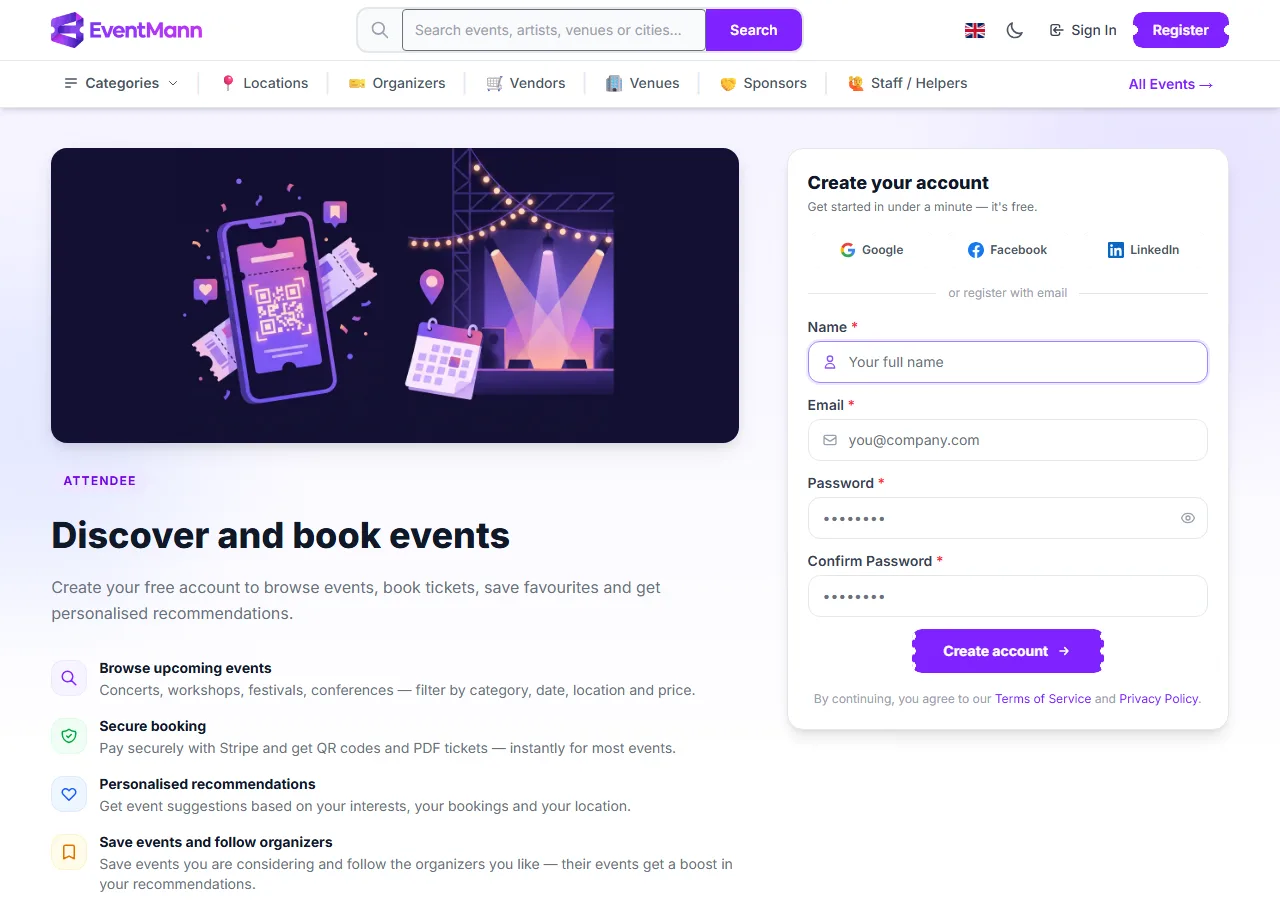
- Open Register at the top right.
- Press Google ①, Facebook or LinkedIn to sign up with that account, which skips choosing a password. Or fill in the form: Name ②, Email, Password and Confirm Password.
- Press Create account ③.
- The ordinary registration page creates an attendee account, the one for browsing and buying tickets. Organizer, vendor, sponsor and venue accounts are created from their own sign-up pages, linked from the footer.
- You are signed in straight away. We send you an email with a link to verify your address; it is valid for 72 hours. Some things, such as buying a membership, publishing as an organizer or accepting a ticket transfer, need a verified address.
- A password needs at least 8 characters with an uppercase letter, a lowercase letter, a number and a special character.
Sign in

- Open Sign In and enter your email and password, or use one of the social buttons you registered with.
- Tick Remember me ③ if you want to stay signed in on this device.
- If you turned on two-factor authentication, enter the 6-digit code from your authenticator app (or a recovery code).
Forgot your password? Press Forgot your password? ② and follow the emailed link, valid for 60 minutes. An account you do not use is signed out after a period of inactivity.
Find your way around
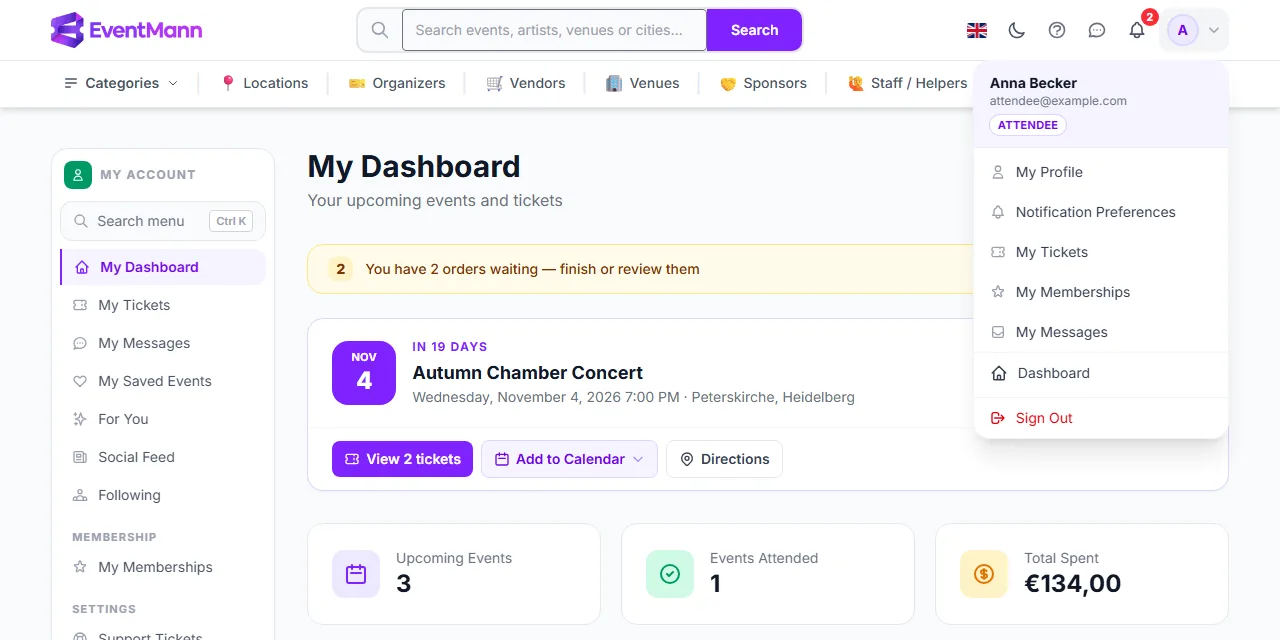
- The top bar — the search box, the language flag, a light/dark switch, the ? button that opens help for the page you are on, a messages icon, the notification bell and your avatar. Under it: Categories, Locations, Organizers, Vendors, Venues, Sponsors, Staff / Helpers and All Events.
- Your avatar menu — My Profile, Notification Preferences, My Tickets, My Memberships, My Messages, your Dashboard and Sign Out. If your account has more than one role, a role switcher appears here.
- Your account sidebar — the same places and more, shown on every attendee page, with a Search menu box (press Ctrl+K) that jumps to any page of your account.
Choose your path
| You want to… | Start here |
|---|---|
| Attend events | My Dashboard and How to Buy Tickets |
| Run events | Getting started as an organizer |
| Offer services to organizers | Getting Started as a Vendor |
| Sponsor events | Getting Started as a Sponsor |
| Work shifts at events | Getting Started as Staff |
| Manage a venue | Getting Started as a Venue Owner |
Good to know
- One account, several roles. You can ask for another role without a second account. An organizer role is granted at once on a verified email; vendor, sponsor and venue requests are reviewed first. Staff members are added by an organizer. Switch between roles you hold from the avatar menu.
- You can browse and search without an account. A checkout asks you to sign in only if that event’s organizer requires it.
- EventMann is operated by ChetsApp UG in Fellbach, Germany, and is available in several languages: choose one with the flag in the top bar or in your profile.
- Everything about your data is in Privacy & Data.
Troubleshooting
- I signed up but do not see my dashboard — check your email for the verification message, including spam. The Dashboard link opens the dashboard for your current role.
- I want to become an organizer, vendor, sponsor or venue owner — use the Become an Organizer or Become a Vendor style links in the footer while signed in; you do not need a new account.
- I was hired to help at someone’s event — the organizer adds you to their team; the invitation email gives you access to that event.
- I cannot sign in — use Forgot your password?; if you registered with Google, Facebook or LinkedIn, use that button instead.