




Volunteering at an event
Attendee Guide
3 min read
Help articles may not be fully accurate — they can lag behind the app due to frequent updates and automated translation. If in doubt, please contact support.
On this page
- 1. What you can do here
- 2. Where to find it
- 3. Good to know
- 4. Troubleshooting
- 5. Related
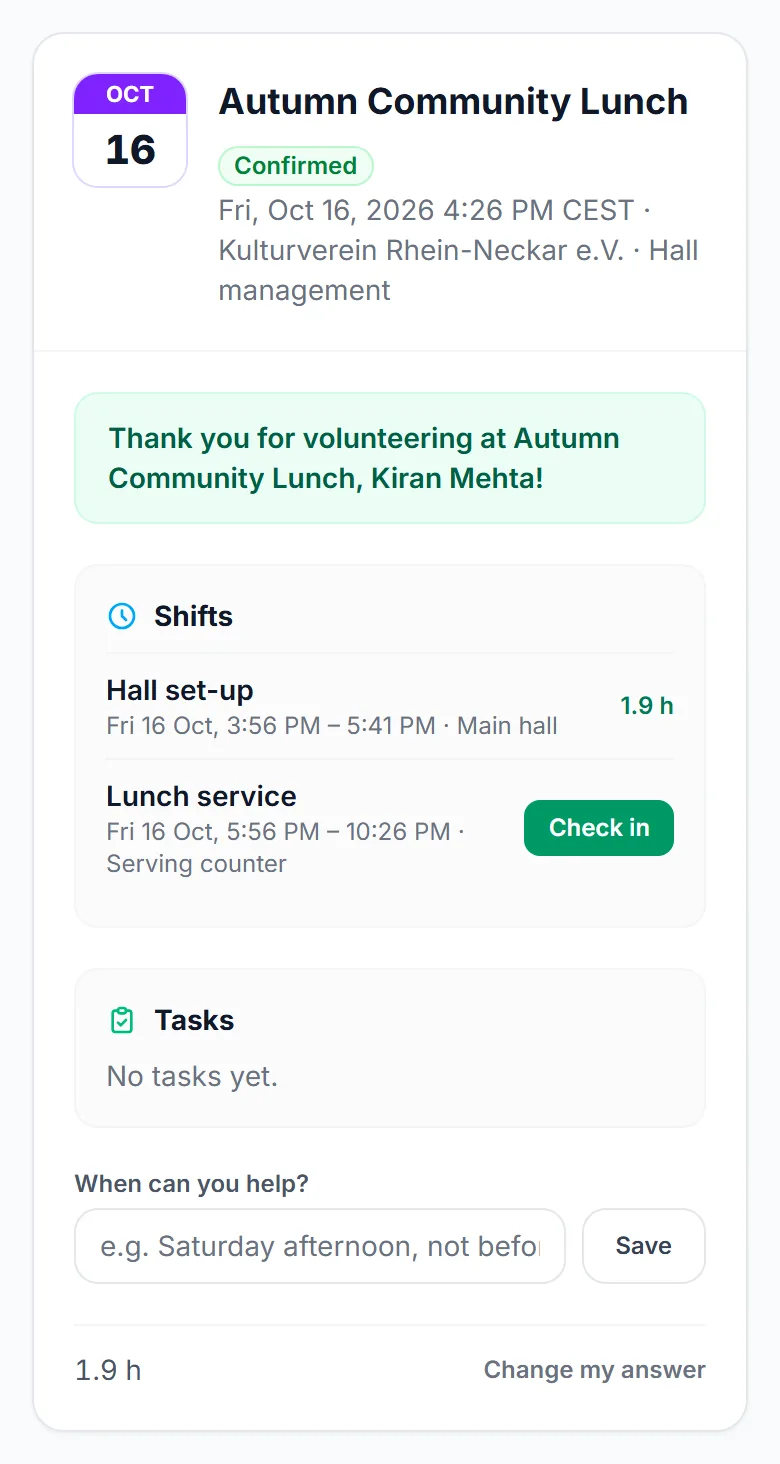
Organizers on EventMann can ask you to help at their events for free, and some events let you offer your help from the event page. Everything about it — your invitations, your shifts, your tasks, your details and your thank-you ticket — is under My Volunteering in your account. This article is the map; each part has its own article.
What you can do here
- Answer an invitation — the organizer’s email asks “Can you help?”. Open it and choose Yes or No. A no needs nothing; a yes needs a free EventMann account on that address, which you create or sign in to right there. See Answering an invitation.
- Offer your help — when an event page says “Would you like to help at this event?”, or a team leader sends you a join link. See Sign up or join a team.
- See your shifts, check in and out, take or give back a shift — see My Volunteering: shifts and check-in.
- Work through your tasks — status, checklist and comments. See Your volunteer tasks.
- Run part of an event — if the organizer gave you a role, such as volunteer coordinator or box office, or you lead a team. See Volunteer roles and My work and Team lead guide.
- Get your volunteer ticket — if the organizer offers one, My Volunteering shows a Get my ticket button that opens the event page. Only confirmed volunteers can buy it, signed in. It is free or reduced, usually one each.
Where to find it
- Sign in and choose My Volunteering in the menu of your account. The entry appears once an organizer has your email address on a volunteer roster, or you have signed up.
- The page needs a confirmed email address. Organizers invite you by email; invitations are linked to your account only when that address is confirmed.
Good to know
- You can change your answer: say yes after an earlier no, or step back if you can no longer come. Stepping back frees your shifts and hands your tasks back to the team.
- You get an email when you are put on a shift or given a task, and a reminder about a day before each shift. A task with a start time sends a reminder shortly before it.
- Volunteering is unpaid. Your name, email, phone number and skills are shared with the organizer so they can organise the team.
- Every invitation carries a link to stop that organizer’s invitations. Other organizers are not affected.
- Times on shifts and tasks are in the event’s own time zone.
Troubleshooting
- My Volunteering is empty — sign in with the address the invitation was sent to, and make sure it is confirmed.
- I cannot check in — check-in opens an hour before the shift starts and closes when it ends. Ask your lead or the organizer to check you in from their rota if you arrive outside that time.
- I cannot see the volunteer ticket — it appears once you are confirmed for that event and signed in. If the event has none, the organizer has not set one up.