




Tasks
Vendor Guide
2 min read
Help articles may not be fully accurate — they can lag behind the app due to frequent updates and automated translation. If in doubt, please contact support.
On this page
- 1. What you see
- 2. Update a task
- 3. Good to know
- 4. Troubleshooting
- 5. Related
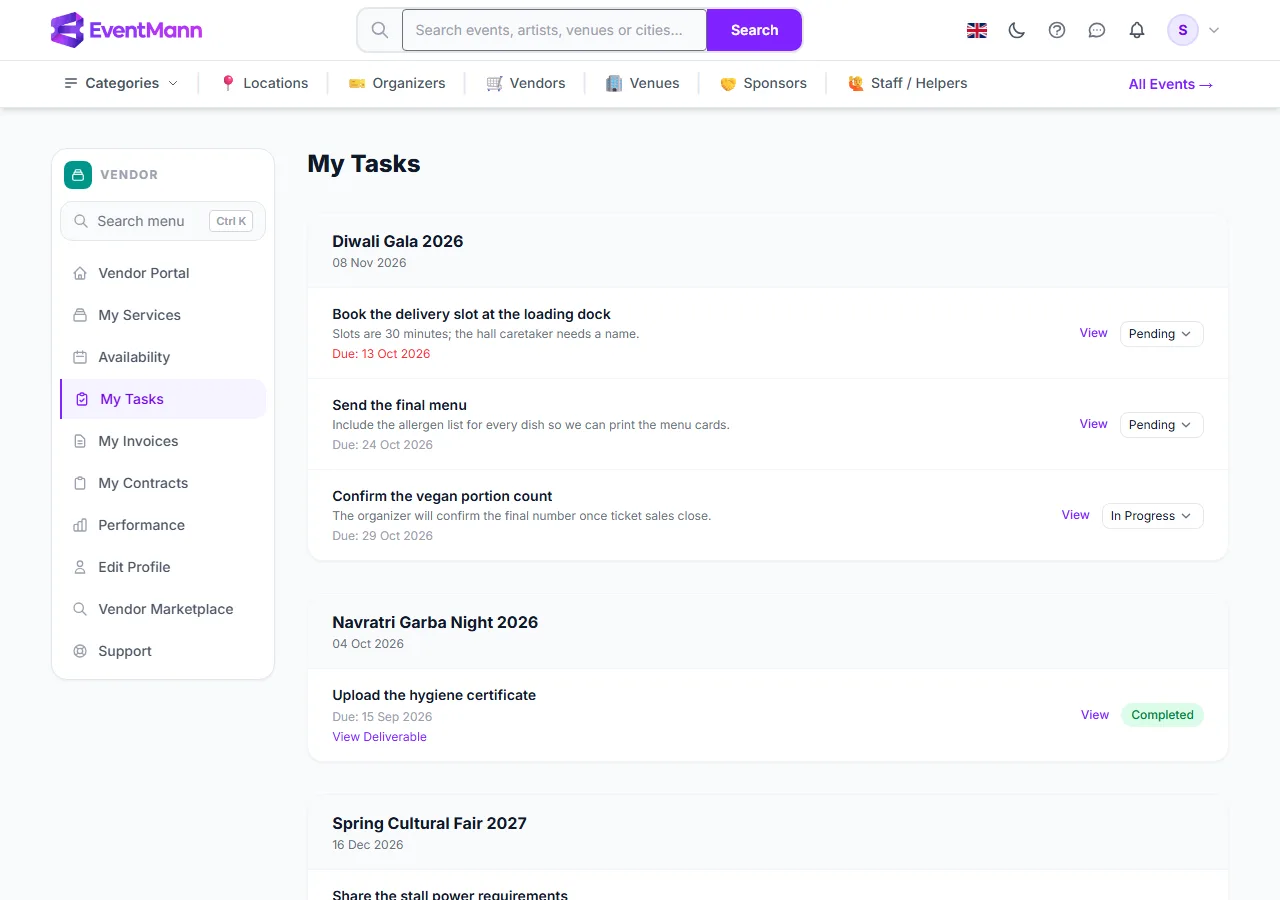
My Tasks (sidebar row My Tasks, or the View All Tasks link on the dashboard) lists the jobs organizers have given you for your assignments, grouped by event. A task is a small deliverable with an optional due date: “Send the final menu”, “Share the stall power requirements”.
What you see
- The event and its date as the header of each group ①.
- For each task: the title, the description, and the Due date. An overdue date turns red ②.
- A status dropdown ③ with Pending, In Progress and Completed, or the green Completed badge once done.
- View opens the task’s own page. View Deliverable ④ appears when a deliverable link is stored on the task.
Update a task
- Choose a new value in the dropdown on the list — it saves as soon as you pick it.
- Or open the task with View, choose the status ① under Update Status and press Save ②.
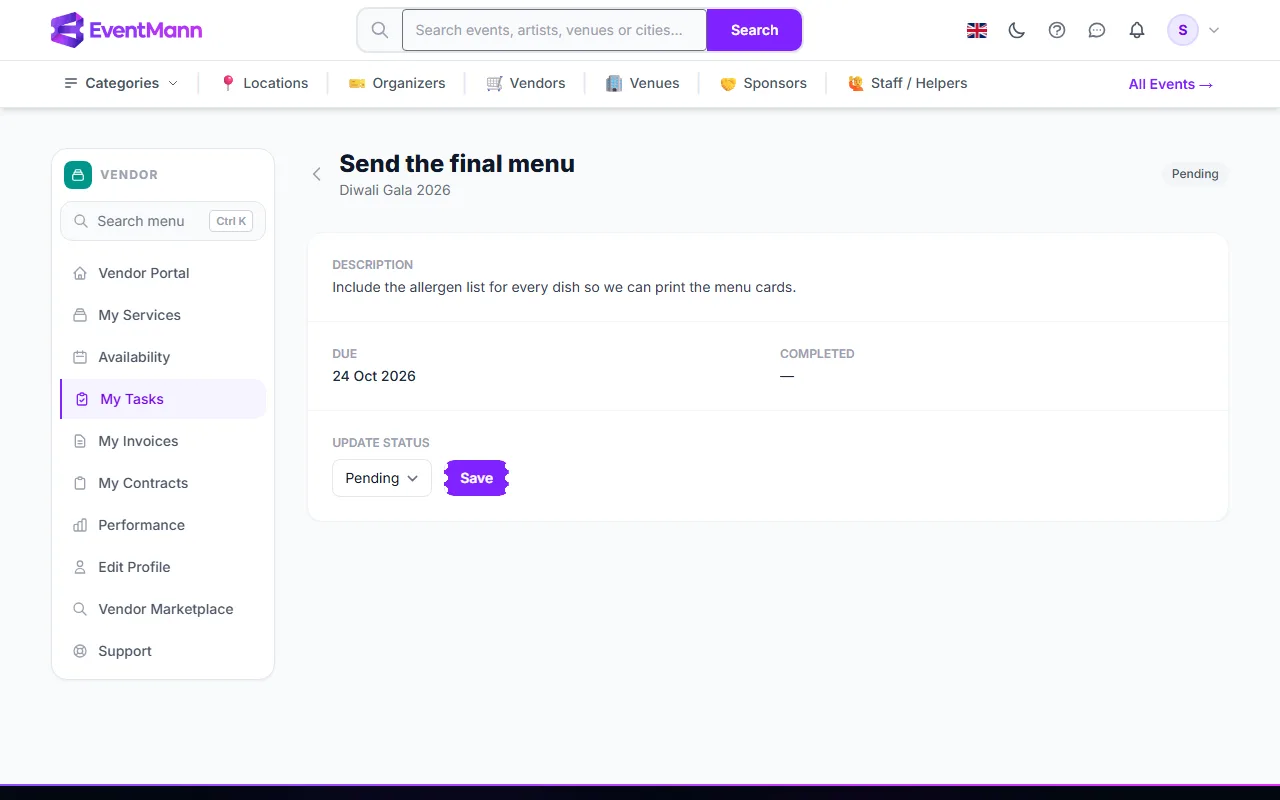
When you set Completed, the completion date is stamped on the task. The organizer sees the status on the event’s vendor page.
Good to know
- Completed is final. Once a task is completed you cannot move it back — the dropdown disappears. Ask the organizer if you completed one by mistake.
- Only the organizer creates, edits or deletes tasks. You change the status.
- You are not notified when a task is added, and the organizer is not notified when you change one. Check the list, and tell the organizer when something important is done.
- There is no upload and no comment box on a task. If a task needs a file, send a link or the file to the organizer yourself.
- Tasks feed two numbers: the Tasks Overdue counter on the dashboard and the On-Time Rate on Performance.
Troubleshooting
- The page says no tasks. Tasks exist only on assignments where the organizer added some.
- A task stays red after I did it. Set it to Completed; overdue means past the due day and not completed.
- I cannot change the status. It is already completed.