




Payments
Staff & Volunteers
2 min read
Help articles may not be fully accurate — they can lag behind the app due to frequent updates and automated translation. If in doubt, please contact support.
On this page
- 1. The table
- 2. The three totals
- 3. Good to know
- 4. Troubleshooting
- 5. Related
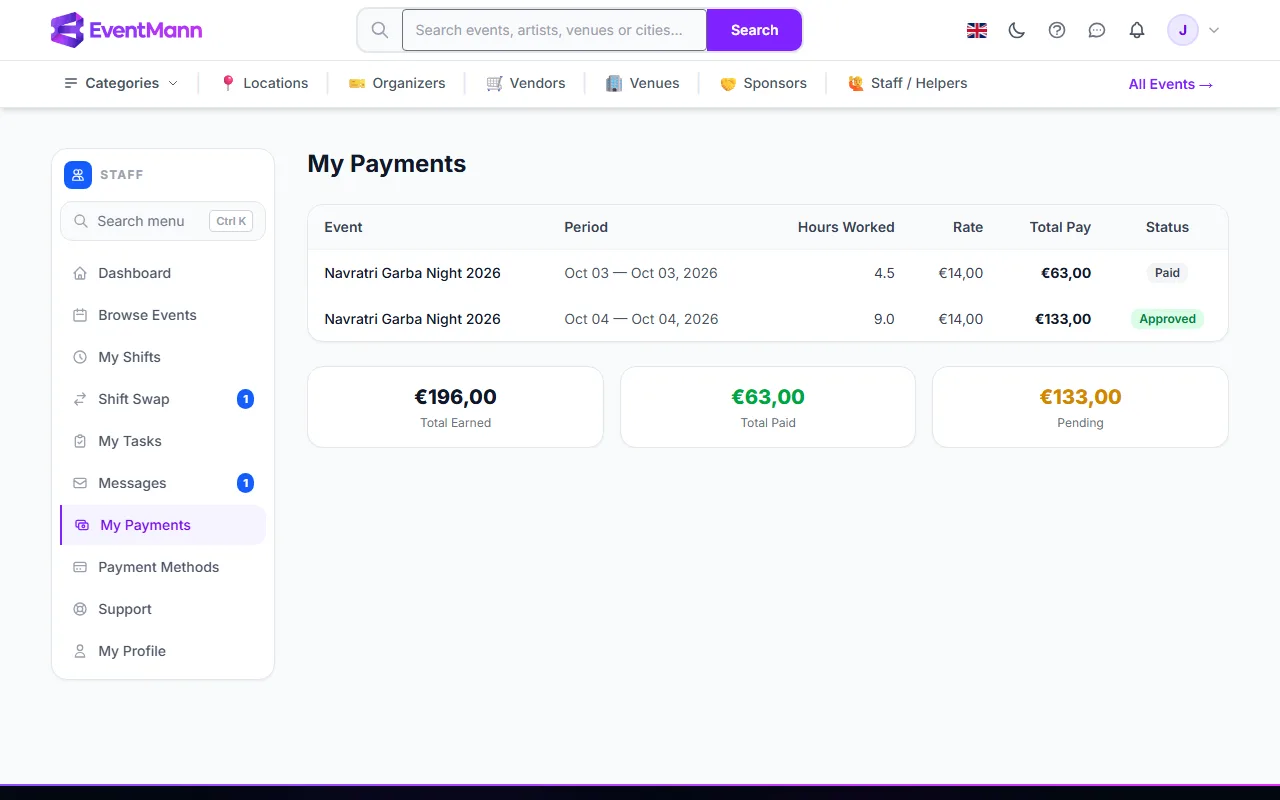
My Payments (sidebar → My Payments) shows the pay that organizers have worked out for your hours. It is a record, not a payout screen: EventMann does not send you money. For how the figures are calculated read Understanding Your Pay.
The table
One row for each shift the organizer has put into payroll:
| Column | Meaning |
|---|---|
| Event | The event you worked. |
| Period | The date range of the payroll run the row belongs to. |
| Hours Worked ① | The hours from your check-in and check-out. |
| Rate | The hourly rate the organizer agreed with you for this event. |
| Total Pay ② | Hours times rate, with overtime, bonus and deductions the organizer added. |
| Status ③ | Where the period stands: Open, Locked, Approved or Paid. |
The three totals
Under the table ④:
- Total Earned — everything on the page.
- Total Paid — rows whose period is marked Paid.
- Pending — the difference: earned but not yet marked paid.
Good to know
- Rows only appear after the organizer runs payroll. Working a shift does not create one; until then the page says No payment records yet.
- Paid means the organizer has marked it paid. The money itself moves between you and the organizer by whatever way you agreed — EventMann never transfers it.
- You are not notified when a period is created, approved or paid. Check this page after the event.
- The table does not break out bonus and deductions; if a total looks different from hours times rate, ask the organizer.
- Every figure is in the currency of the payroll period, which is the event’s currency. If you have worked for events in different currencies, each total shows one line per currency — amounts in two currencies are never added together.
Troubleshooting
- A shift I worked is missing. It may have no check-out (no hours), you may have no hourly rate on that event, or payroll has not been run for those dates. Ask the organizer.
- The rate is 0.00. The organizer has not set one; a person without a rate is normally left out of payroll altogether.