




Service Catalog
Vendor Guide
3 min read
Help articles may not be fully accurate — they can lag behind the app due to frequent updates and automated translation. If in doubt, please contact support.
On this page
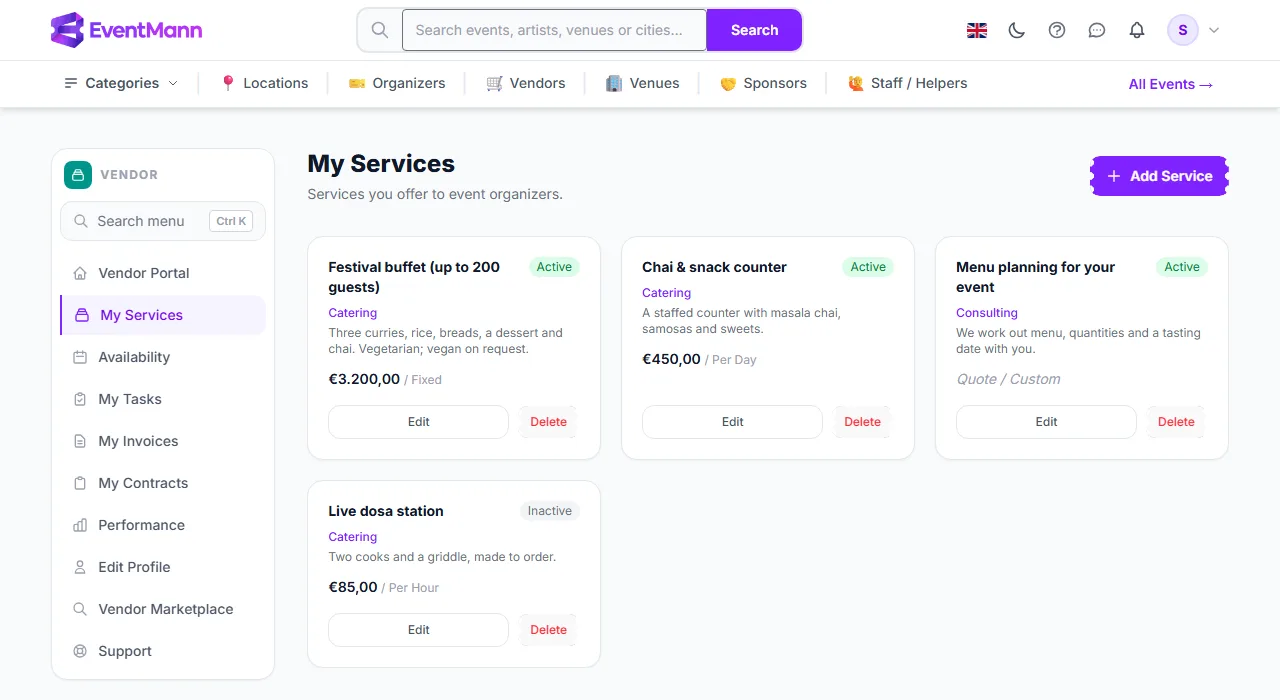
My Services (sidebar → My Services) is the catalogue of what you sell. Organizers see your active services on your public profile and can attach one to an event when they invite you. Keep it short, specific and priced.
What you can do here
- Add a service with Add Service ①.
- Read the list ②: name, an Active or Inactive label ③, the category line, the description and the price with its unit (for example “€450,00 / Per Day”) or Quote.
- Edit ④ or Delete a service (you are asked to confirm the delete).
Add or change a service
- Click Add Service, or Edit on an existing one.
- Fill in the form (see below) and press Save Service.
Settings explained
| Field | What it does |
|---|---|
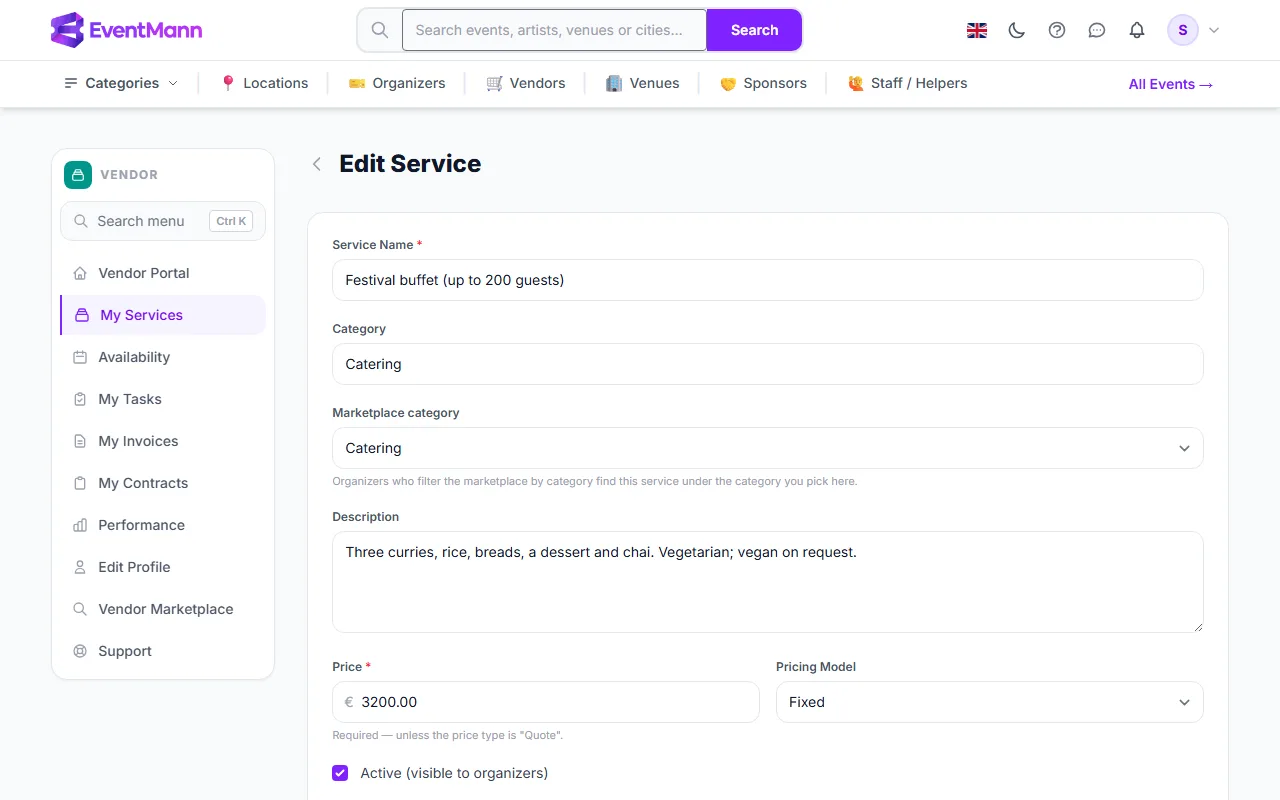
| Service Name ① | Required, up to 255 characters. Must be different from your other services (case does not matter). |
| Category ② | Free text up to 100 characters, such as “Catering” or “AV Equipment”. It is a label on the listing. Below it, Marketplace category picks one of the platform’s categories: organizers who filter the marketplace by category find the service there. |
| Description | What is included. Plain text. |
| Price ③ | A number up to two decimals. Required, unless the pricing model is Quote. Prices are shown in the platform’s default currency (euro); there is no currency selector. |
| Pricing Model ④ | Fixed, Per Hour, Per Day or Quote / Custom (no price shown; organizers ask you). |
| Active (visible to organizers) ⑤ | Untick to hide the service without deleting it. |
Press Save Service ⑥ to store the service.
Good to know
- Only active services appear on your public profile and in the organizers’ vendor assignment list. Turning one off does not change assignments you already have.
- The price on a service is a list price. The agreed fee for an event is set by the organizer on the assignment and is what your invoice may not exceed. See How to Submit an Invoice.
- The marketplace’s price filter looks at your active services’ prices, so a service with a price is easier to find than a quote-only one.
- Services are listed newest first. There is no manual sort order.
Troubleshooting
- “You already have a service with this name.” Rename one of them.
- “Required — unless the price type is Quote.” Enter a price or change the pricing model to Quote / Custom.
- A service is not visible to organizers. Check it is Active and that your profile has been approved.