




Browse Events
Help articles may not be fully accurate — they can lag behind the app due to frequent updates and automated translation. If in doubt, please contact support.
On this page
Browse Events (sidebar → Browse Events) lists the upcoming events you can apply to work. The page itself is headed Events to Work At. This article covers paid staff; for volunteer teams read Volunteering.
What you can do here
- See every public event that is live and has not started yet, soonest first, twelve to a page.
- Read each card: the picture, the title, the date and the city.
- Check the state of your own application on that event — the badge at the bottom of the card ①.
- Apply with Apply to Work ②, or withdraw a waiting application with Cancel Application ③.
- Open Event details ④ for the full page.
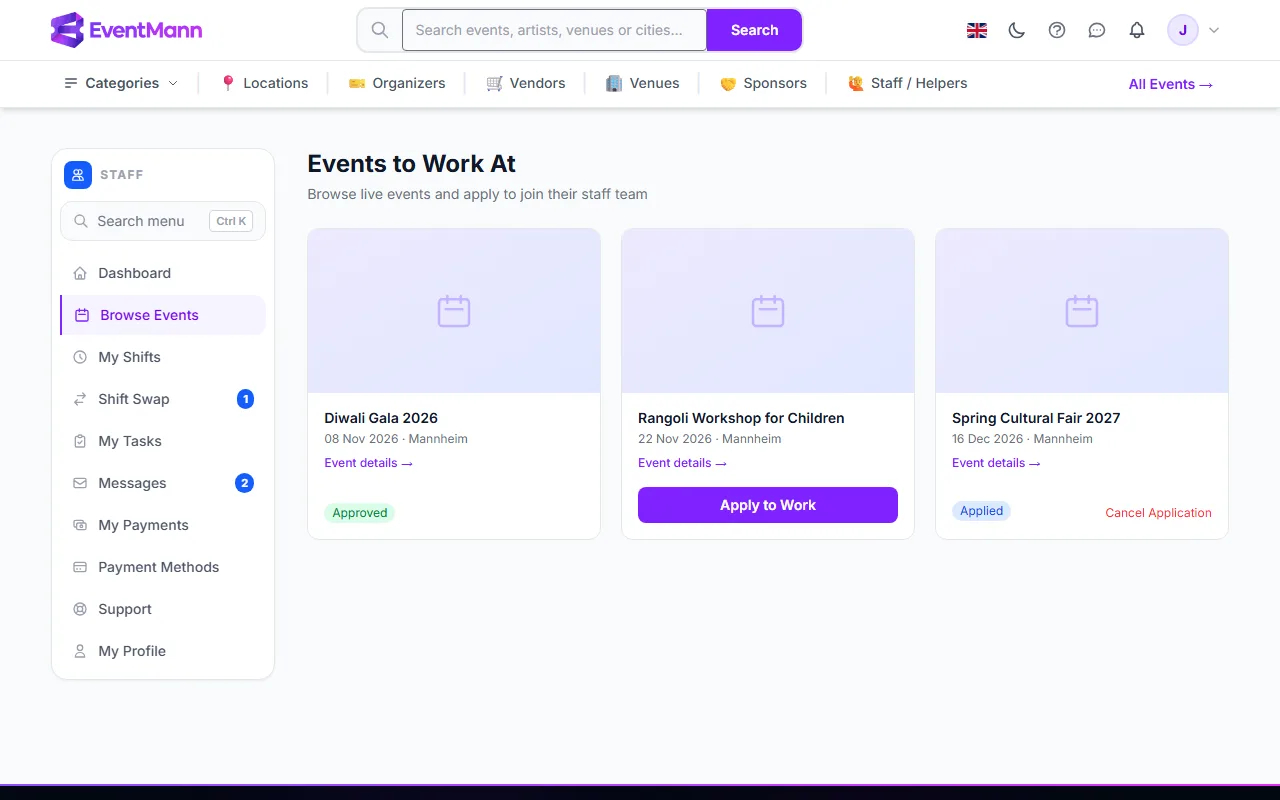
The badge on a card
| Badge | Meaning |
|---|---|
| Applied (blue) | Your application is waiting for the organizer. You can still cancel it. |
| Approved or Active (green) | The organizer accepted you. Shifts are assigned next. |
| Rejected (red) | The organizer declined this time. |
| Removed (grey) | The organizer took you off the team for this event. |
The event details page
Click the title or Event details. The page shows the date and time in the event’s own time zone (the zone abbreviation is printed beside the time), the venue and address, the organizer’s name, the description and a link to the public event page. On the right the Shifts panel lists the shifts the organizer has created: title, Open or Full, date, times, location, notes and how many places are still free (“3 of 4 spots open”). Cancelled shifts are not listed. In the picture, your status badge is ①, the Shifts panel ②, a shift’s status ③ and its free places ④. See How to Apply for Events.
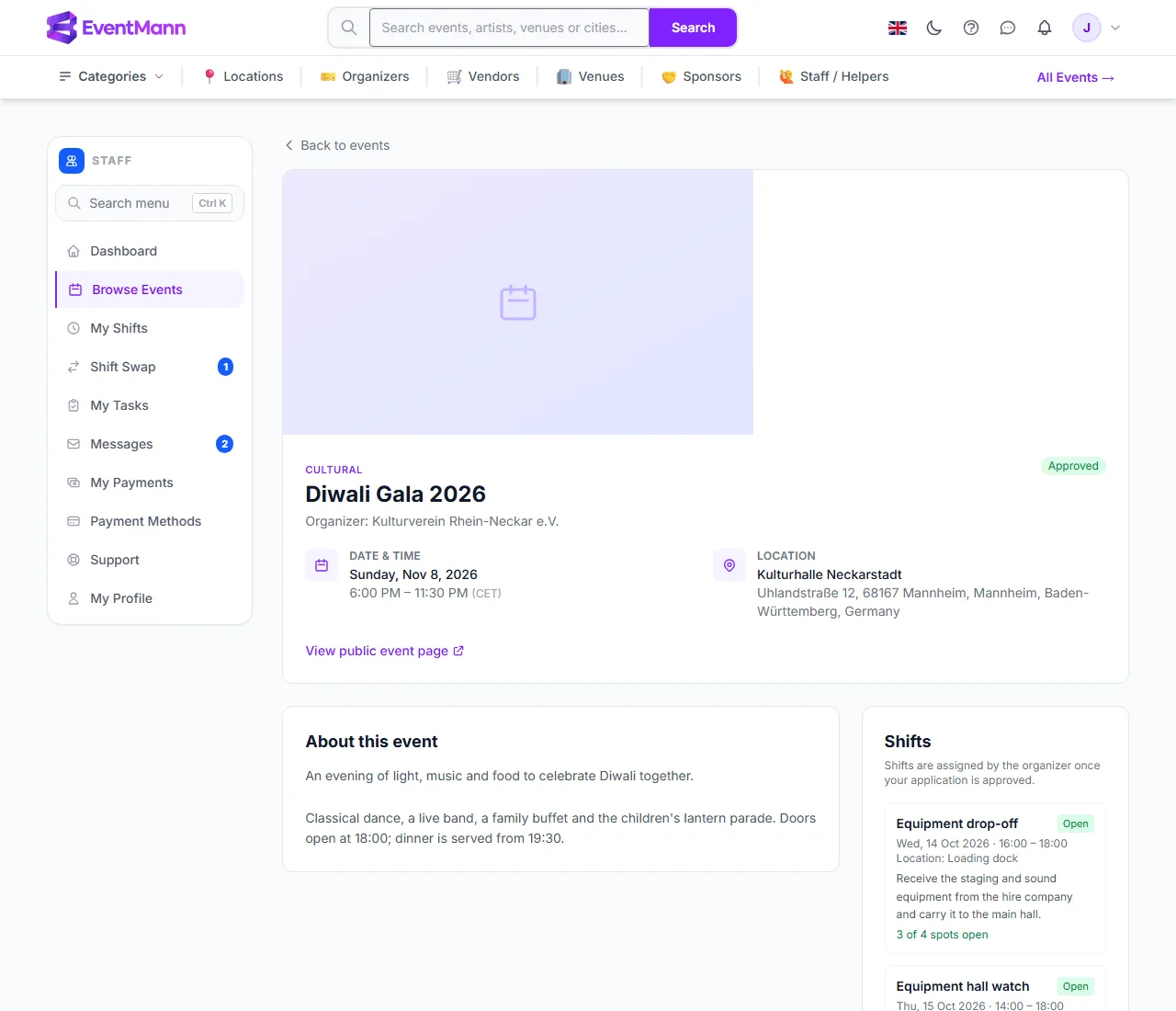
Good to know
- The list shows every public live event, not only the events that are hiring. An event being listed does not mean the organizer needs crew — the Shifts panel tells you more. Organizers can also choose to appear on the public Work as Staff page; that is a separate switch.
- Events you applied to stay readable even after the organizer pauses or unlists them, so an approved shift is never hidden from you.
- Draft, private, cancelled and past events are not listed.
- The shift list on an event is a preview. It shows what exists; it does not sign you up for anything.
Troubleshooting
- I cannot find an event. It may be private, not yet live or already started. Ask the organizer for an invitation link instead.
- The Apply button is missing. You have already applied (even if you cancelled and the organizer rejected you), or your staff profile is suspended. Contact the organizer or support.