




Volunteer roles and My work
Help articles may not be fully accurate — they can lag behind the app due to frequent updates and automated translation. If in doubt, please contact support.
On this page
- 1. How you notice a role
- 2. My work
- 3. What a coordinator sees
- 4. Good to know
- 5. Troubleshooting
- 6. Related
Some volunteers do more than help: an organizer can give you a role for one event, such as Volunteer coordinator, Box office, Door / check-in, Venue manager, Marketing or Finance, or one of their own custom roles. The role opens the organizer’s screens for that event, and only the ones the role needs.
How you notice a role
- On the event’s card in My Volunteering you see a lilac note: You help run this event as: Volunteer coordinator ①, with the button Open My work ②.
- In the menu of your avatar, the row Event work lists your roles and links to My work. On a phone it is in the menu as My work.

My work
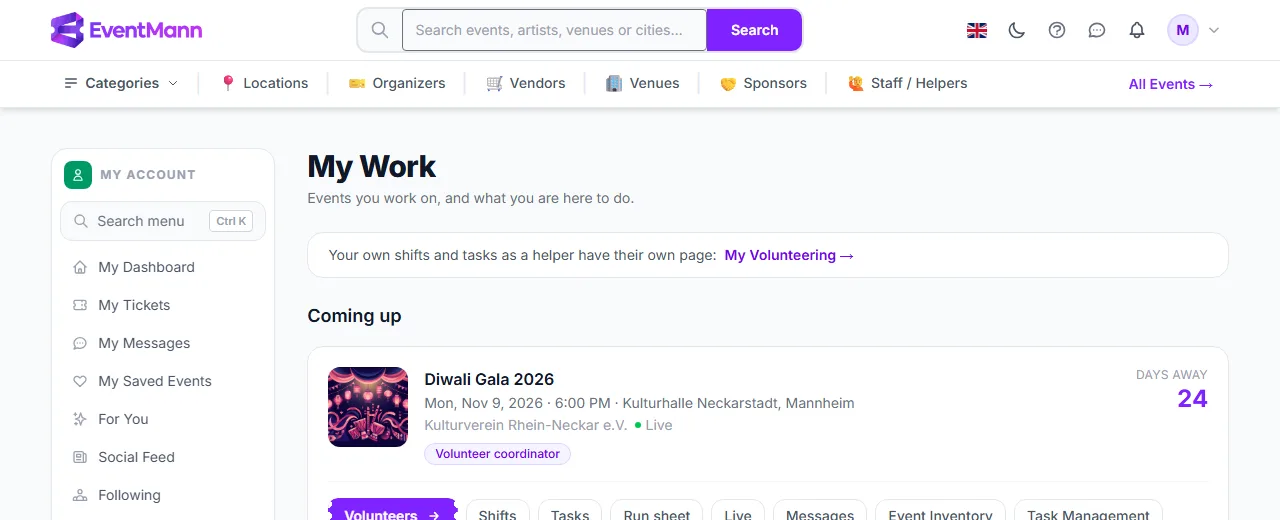
My work lists every event where you hold a role, with the role as a badge and the organizer and date. Each row has one button for the thing that role is for: Scan for the door, Orders, Volunteers, Task Management, Analytics or Overview.
- Find the event and read the role badge ①.
- Click the button ② to open that event’s screens.
What a coordinator sees
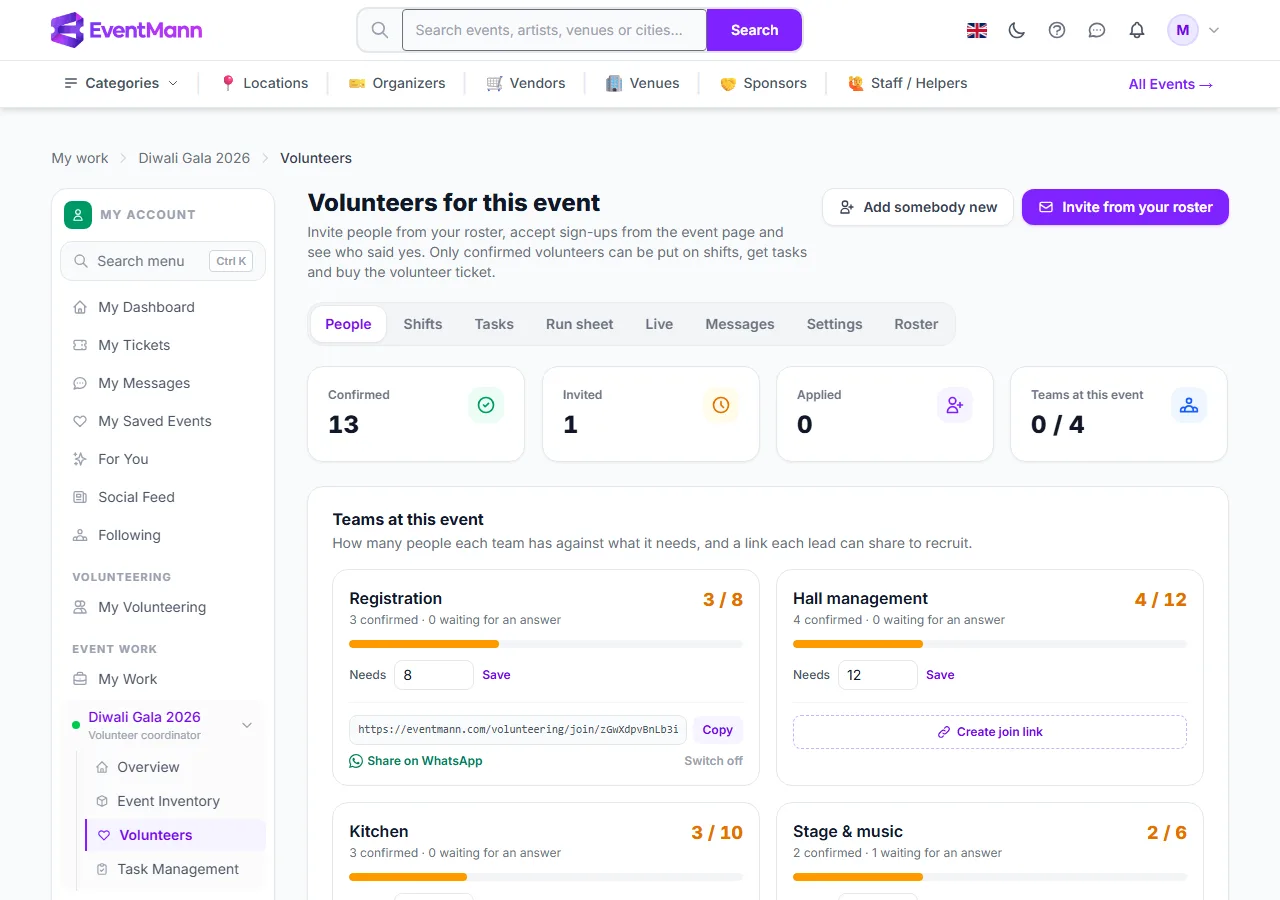
A volunteer coordinator opens the event’s Volunteers pages with every tab — People, Shifts, Tasks, Run sheet, Live, Messages, Settings and Roster — and the task board. They invite and confirm people, plan shifts and tasks, send messages and, for the roles they hold themselves, hand roles to other volunteers. They also see the event overview and its packing lists. They do not see orders, money or settings that their role does not carry.
Only this event is open to you ①; the other events of the organizer stay closed.
Good to know
- A role is for one event. It ends 30 days after the event, so finance work can be finished after the doors close.
- It counts only while you are confirmed for the event and signed in with the confirmed address the organizer has on file. If you step back from the event, the roles end.
- Nobody can hand out a role they do not fully hold themselves, so a coordinator can make another coordinator but cannot give out Finance.
- Leads of standing teams also get a role by being a lead, and may get an extra one the organizer attached to the team (for example Box office for the Registration leads). See Team lead guide.
- An email tells you when a role is given. If you have no account yet for that address, it points you to set one up.
Troubleshooting
- No My work row — you hold no live role: the event ended more than 30 days ago, you are not confirmed, or you are signed in with another address.
- A page says access denied — your role does not include it. Ask the organizer to change your role.