




For You
Attendee Guide
4 min read
Help articles may not be fully accurate — they can lag behind the app due to frequent updates and automated translation. If in doubt, please contact support.
On this page
- 1. What you can do here
- 2. Set your preferences
- 3. Good to know
- 4. Troubleshooting
- 5. Related
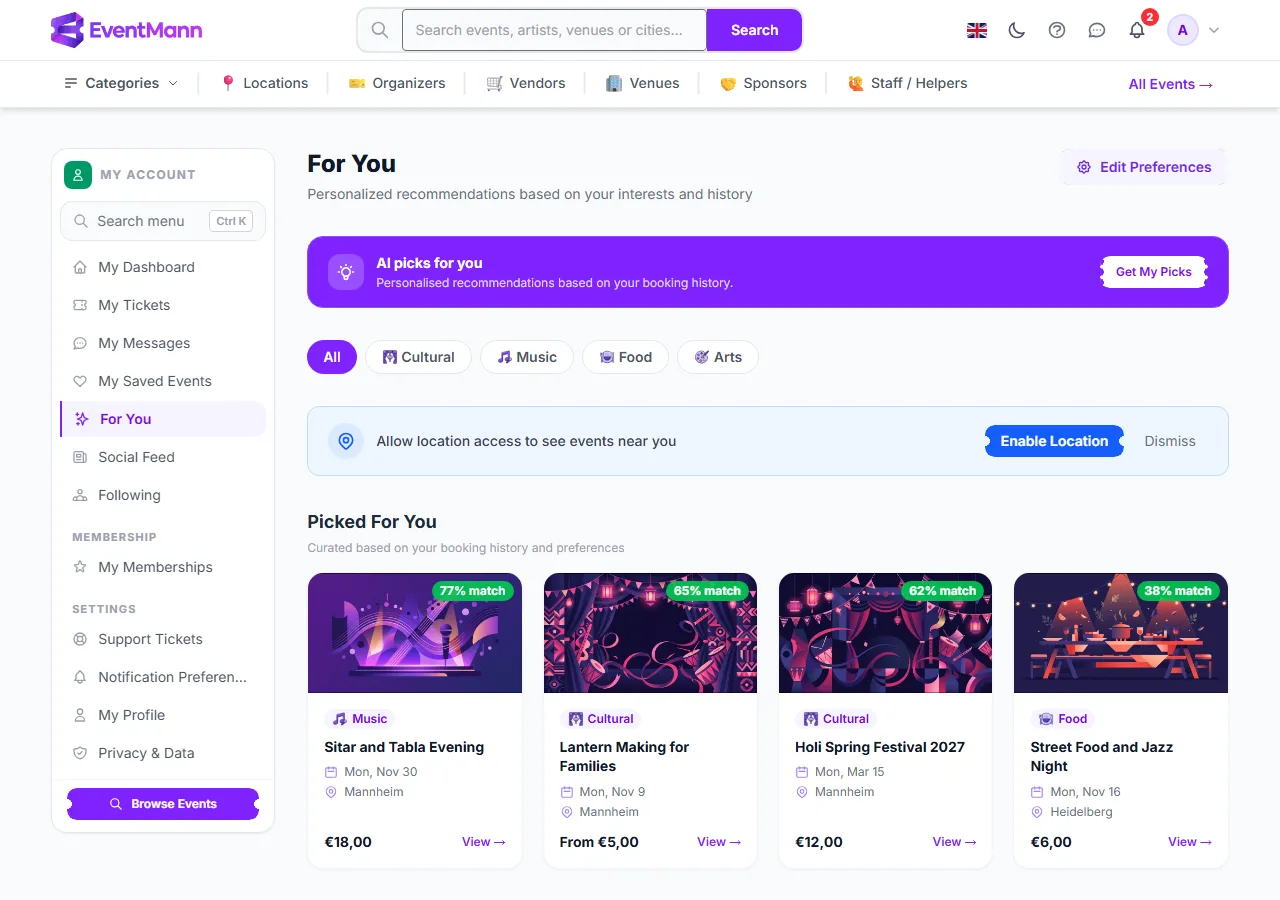
For You is a page of events picked for you from what you have booked, the preferences you set and the organizers you follow. Open it from For You in the account sidebar, or from See More under Picked For You on your dashboard. The page itself is at /for-you.
What you can do here
- Browse your picks ③ — Picked For You lists up to twelve upcoming events, best match first. The green badge on each card, for example 77% match, is how well the event fits your profile. Events you already hold tickets for are not suggested.
- Narrow by category — the chips under the banner (All, Cultural, Music and so on) filter the page to one category.
- See what is close to you — Enable Location asks your browser for your position, finds the nearest city and lists up to eight upcoming events there. Press Dismiss to hide the prompt. Nothing is shown if you refuse the browser’s permission request or no events are listed in that city.
- Trending Now — events with the most confirmed bookings in the last seven days, with the number of bookings.
- Because you like … — up to three rows, one for each category you book or prefer most, with four events each.
- Ask for AI picks ② — where the platform has AI features switched on, a purple banner offers Get My Picks. It sends the titles and categories of your last ten confirmed bookings and a list of upcoming public events, never your name or contact details, and shows up to five suggestions with a one-sentence reason each. If AI is not available, the banner is not shown.
Set your preferences
- Click Edit Preferences ① at the top right.
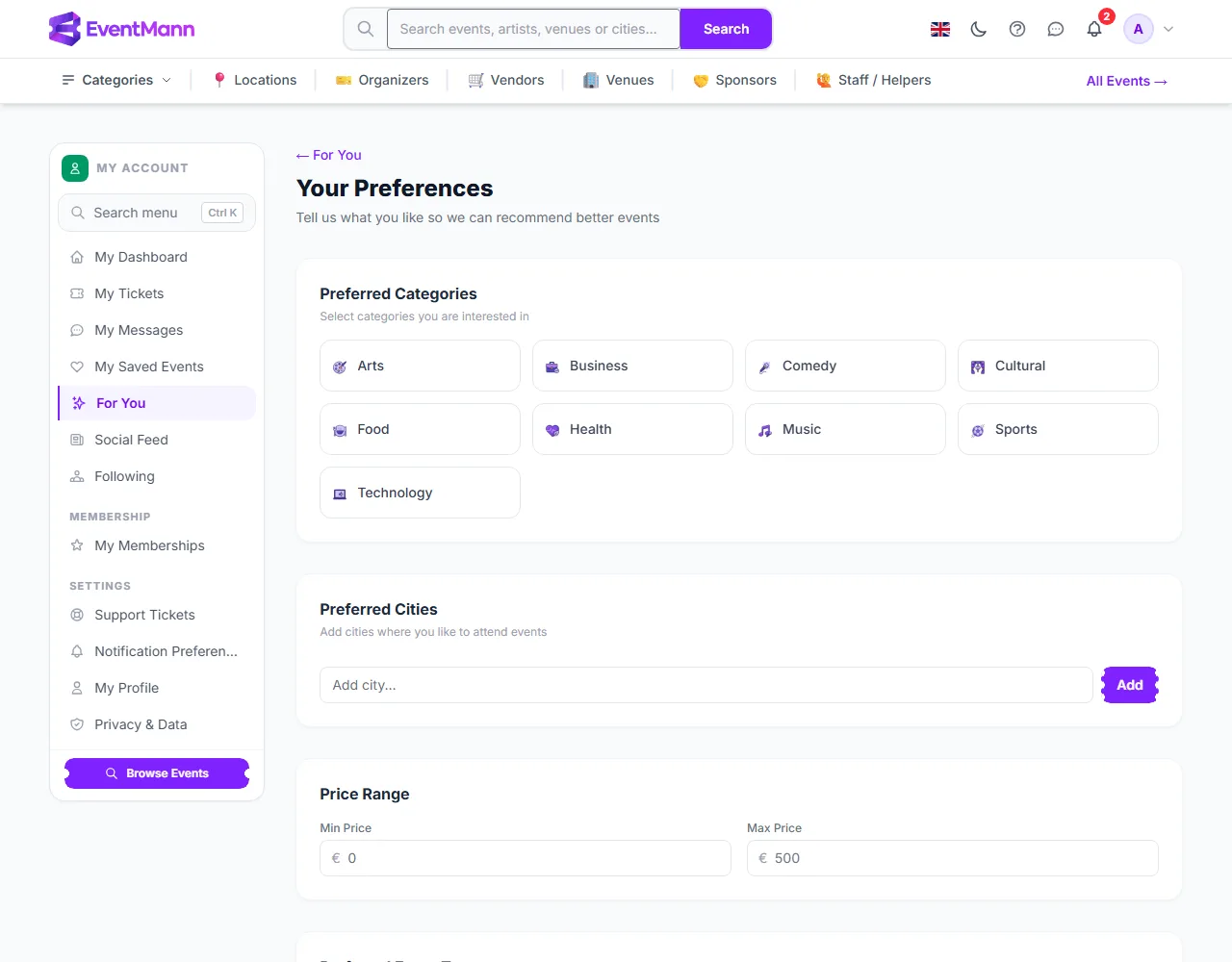
- Tick the categories you like ①, add the cities you are willing to travel to ② and, if you wish, a minimum and maximum price, event types and the days of the week you prefer.
- Click Save Preferences ③. You are taken back to For You and the list is rebuilt straight away.
Good to know
- The match score weighs category, location, popularity, price, how soon the event is, whether an organizer you follow runs it, and a little variety so the list is not all one kind of event. You cannot see or edit the scores themselves.
- Your ranking is remembered for an hour. Saving your preferences rebuilds it immediately; a new booking on its own can take up to an hour to be reflected.
- Only events that are live, public and upcoming are suggested. An event the organizer pauses or makes private disappears from the page on your next visit.
- The For You row in the sidebar is only shown when the platform’s AI features are on. The page and the Picked For You row on your dashboard work either way.
- You do not need preferences for the page to work. With no bookings and no preferences, the Because you like rows use the categories that have the most upcoming events.
Troubleshooting
- The page looks generic — that is normal for a new account. It sharpens as you book, follow organizers and fill in preferences.
- Enable Location shows nothing — your browser may have blocked the location request, or no events in your city are listed. Use the category chips or Search instead.
- I changed my preferences and nothing moved — check that you pressed Save Preferences; you are redirected to For You when it worked.
- An event I expected is missing — you may already hold tickets for it, or it is not live and public.