




How to Contact the Organizer
Help articles may not be fully accurate — they can lag behind the app due to frequent updates and automated translation. If in doubt, please contact support.
On this page
Questions about parking, access, dietary needs or what is included are best asked of the organizer, who runs the event and sold you the ticket. There are two ways: a message thread for people who hold a booking, and a contact form that anyone can use.
1. Messages (for ticket holders)
If you hold a confirmed or approved booking, you get a private thread with the organizer for that event, like a small inbox. Open My Messages in the account sidebar or the avatar menu, or choose Message organizer in the menu of the order in My Tickets.
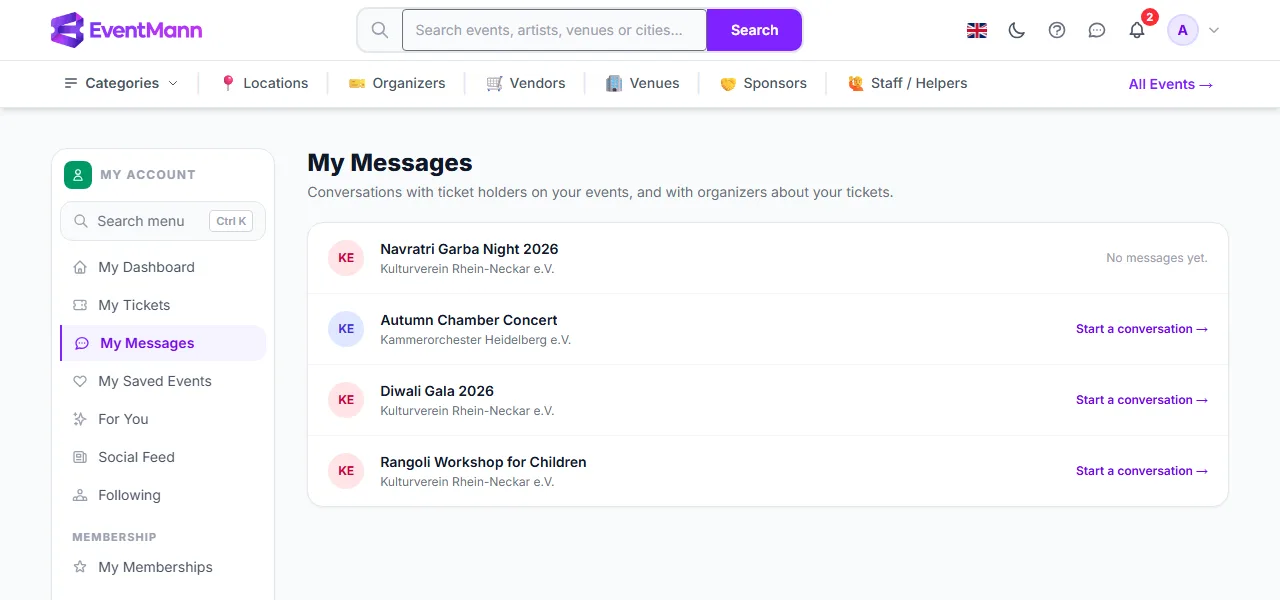
- Find the event. Events with messages show the time of the last message and an unread count; the others offer Start a conversation → ①.
- Open the thread, type your message and send it.
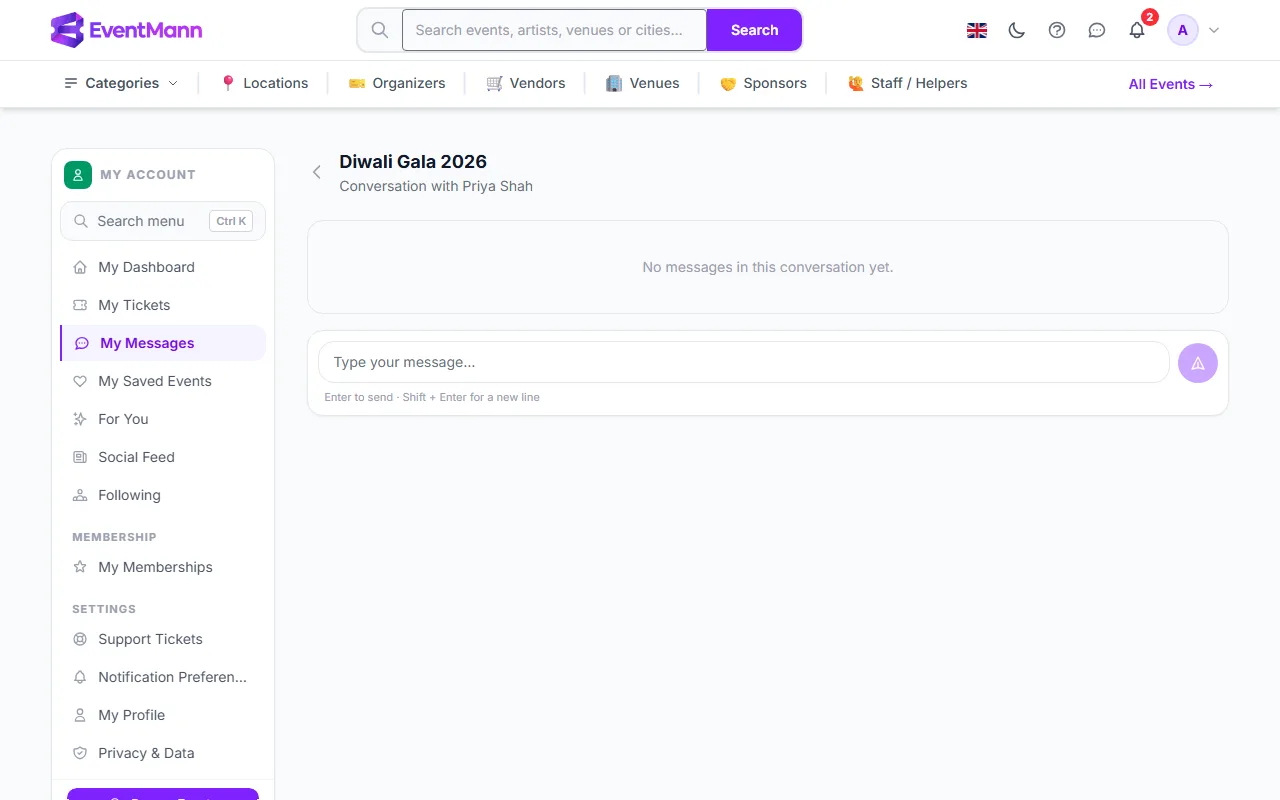
- Write in the box ① and press Enter to send (Shift+Enter starts a new line), or use the send button. The organizer sees it in their own inbox for that event, and their reply appears in this thread.
- The thread opens 90 days before the event and closes when the event ends, or if the organizer cancels it. Afterwards you can still read the conversation but not add to it.
- You can send up to 10 messages per hour per event.
- An organizer can switch direct messaging off for an event. You then see a note instead of a message box.
2. The contact form (anyone)
The organizer’s email address is never shown on public pages. Instead, press Contact next to Organized by on an event page, or on the organizer’s own page. You do not need an account or a booking.
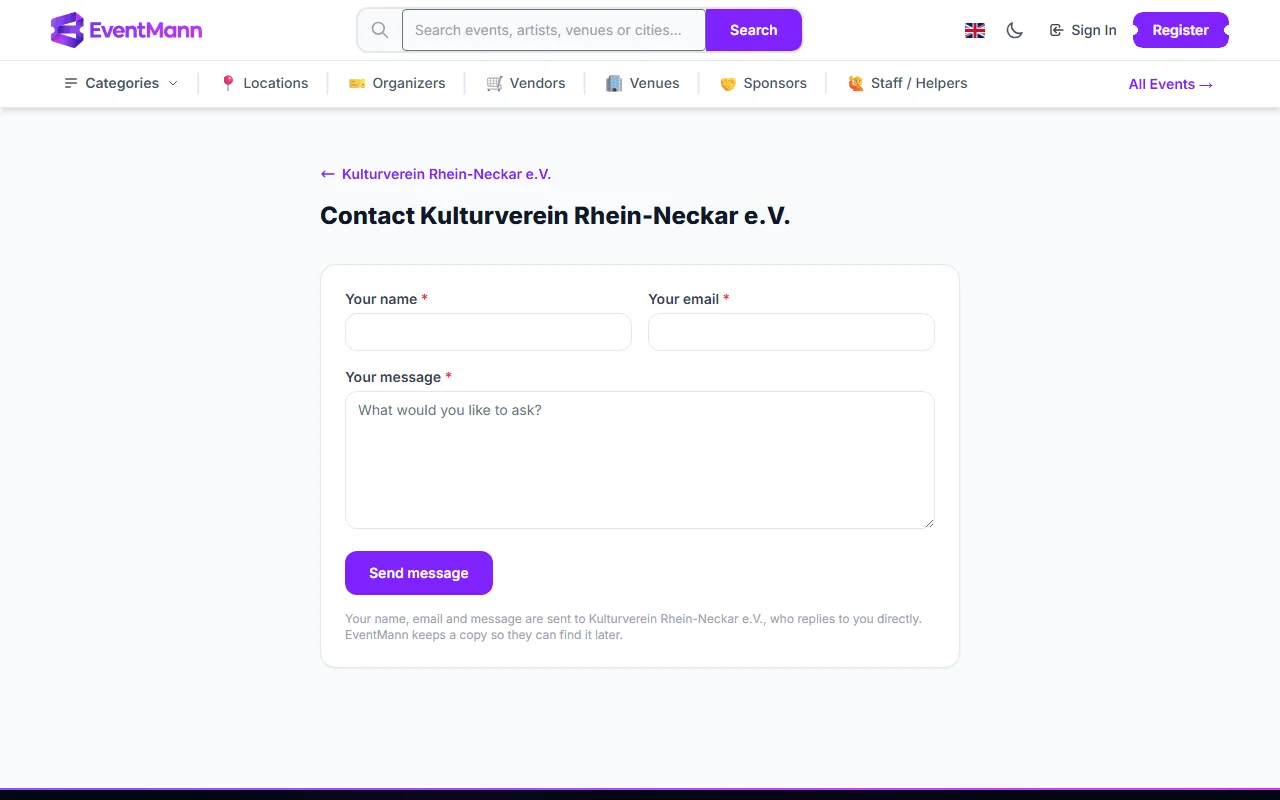
- Enter Your name ① and Your email, then your Your message ②.
- Press Send message ③.
Your name, email and message go to the organizer, who replies to you directly by email. EventMann keeps a copy so that they can find it later. Some organizers state how quickly they usually answer, and the form shows that. If the page was opened from an event, the message names the event. You can send a few messages in a short time before the form asks you to wait.
Which one should I use?
| Situation | Use |
|---|---|
| I have a confirmed order and the event is within 90 days | Messages |
| I have not bought yet, or I booked as a guest and cannot sign in | Contact form |
| The event is far away or has ended | Contact form |
| A problem with my account, a payment or the website | Support |
Good to know
- Replies come from the organizer, not from EventMann. How fast they answer is up to them.
- Your messages are deleted if you erase your account (see Privacy & Data).
Troubleshooting
- I cannot find Message organizer — your order may still be pending, not confirmed, or the event is more than 90 days away. Use the contact form instead.
- The message box is replaced by a note — the event has ended, was cancelled, or the organizer turned messaging off.
- It says I sent too many messages — the limit is 10 an hour for an event. Wait a little.
- The Contact link leads to a page not found — that organizer has switched the contact form off. Try the event’s message thread if you hold a booking.