




Push Notifications
Organizer Guide
3 min read
Help articles may not be fully accurate — they can lag behind the app due to frequent updates and automated translation. If in doubt, please contact support.
On this page
A push notification is a short message that pops up on a customer’s phone or computer, even when EventMann is closed. Use it for time-sensitive news: doors are open, the last tickets are going, the venue changed. Find it under Grow → Marketing → Push Notifications.
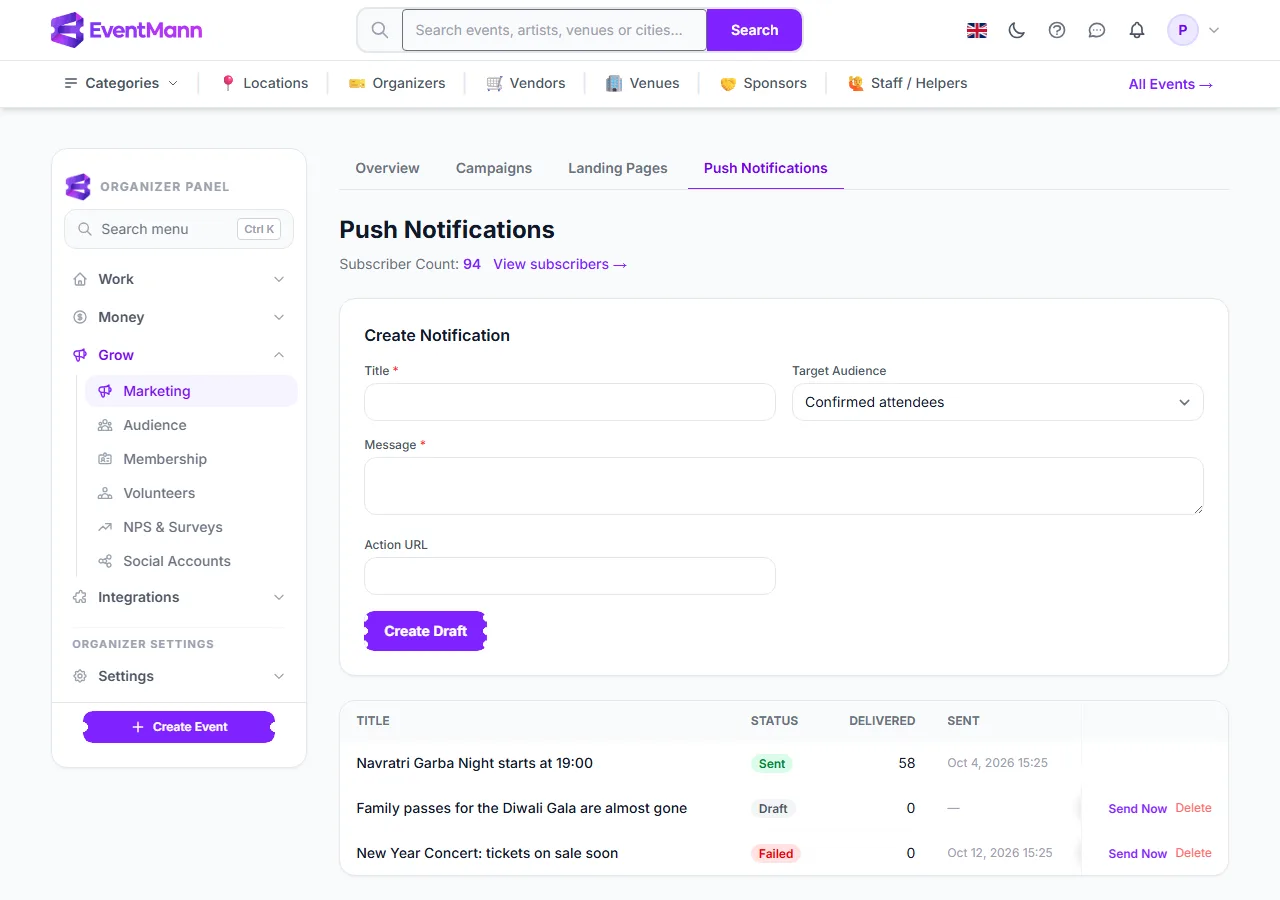
- The Subscriber Count ① is the number of devices you can reach. Click View subscribers next to it to see who they belong to.
- Choose the Target Audience ②.
- Write a title and message, then click Create Draft ③. Nothing is sent yet.
- In the history below, click Send Now ④ on a draft to send it. EventMann asks you to confirm and states the number of devices.
Who can receive a push notification
- Only people who bought from you. EventMann does not give you platform-wide subscribers.
- Each person chooses to receive push on their own device: in their EventMann account under notification settings they press Enable on this device and allow the browser to show notifications. One person may have several devices; the count shows devices, the subscribers list shows people.
- Marketing push can be switched off by the person. Those who did are skipped.
The View subscribers link opens the list of people behind that count.

Each row is one person. Devices ① is how many of their devices will receive your notification, and Subscribed On ② is when they switched push on.
Settings explained
- Target Audience — Confirmed attendees: customers with a confirmed booking at any of your events.
- Target Audience — Everyone who has booked: anyone who ever started a booking with you, including orders that were later cancelled or never paid.
- Title and Message are required; keep both short, because phones cut long text.
- Action URL is optional: the address that opens when the person taps the notification, for example your event page.
Statuses
- Draft — saved, not sent. You can send it or delete it.
- Sent — delivered to at least one device. The Delivered column shows how many devices.
- Failed — reached nobody. Send Now is offered again so you can retry, or you can delete it.
Good to know
- A notification that has been sent cannot be sent a second time or recalled. Send Now is only offered on drafts and failed ones.
- Sending runs in the background in batches of 100 devices.
- There is no scheduling and no per-event audience on this page: it sends when you press Send Now, to the audience you chose across all your events.
- Delivered counts devices the push service accepted. It does not say whether the person looked at it.
Troubleshooting
- Subscriber Count is 0 — nobody who booked with you has enabled push on a device yet. Ask people to turn it on in their EventMann notification settings.
- A draft shows Sent but Delivered is 0 — the audience contained nobody reachable at that moment. Nothing was sent.
- Status Failed — every device refused or the push service was unreachable. Try again later with Send Now.