




Member benefits on your events
Organizer Guide
3 min read
Help articles may not be fully accurate — they can lag behind the app due to frequent updates and automated translation. If in doubt, please contact support.
On this page
A plan on its own is only a pass. What members actually get is decided on your events: a lower ticket price, tickets only members can buy, early booking, free tickets. This article lists every benefit, where you switch it on and how it behaves, so you can match your plans to your events.
Per ticket type
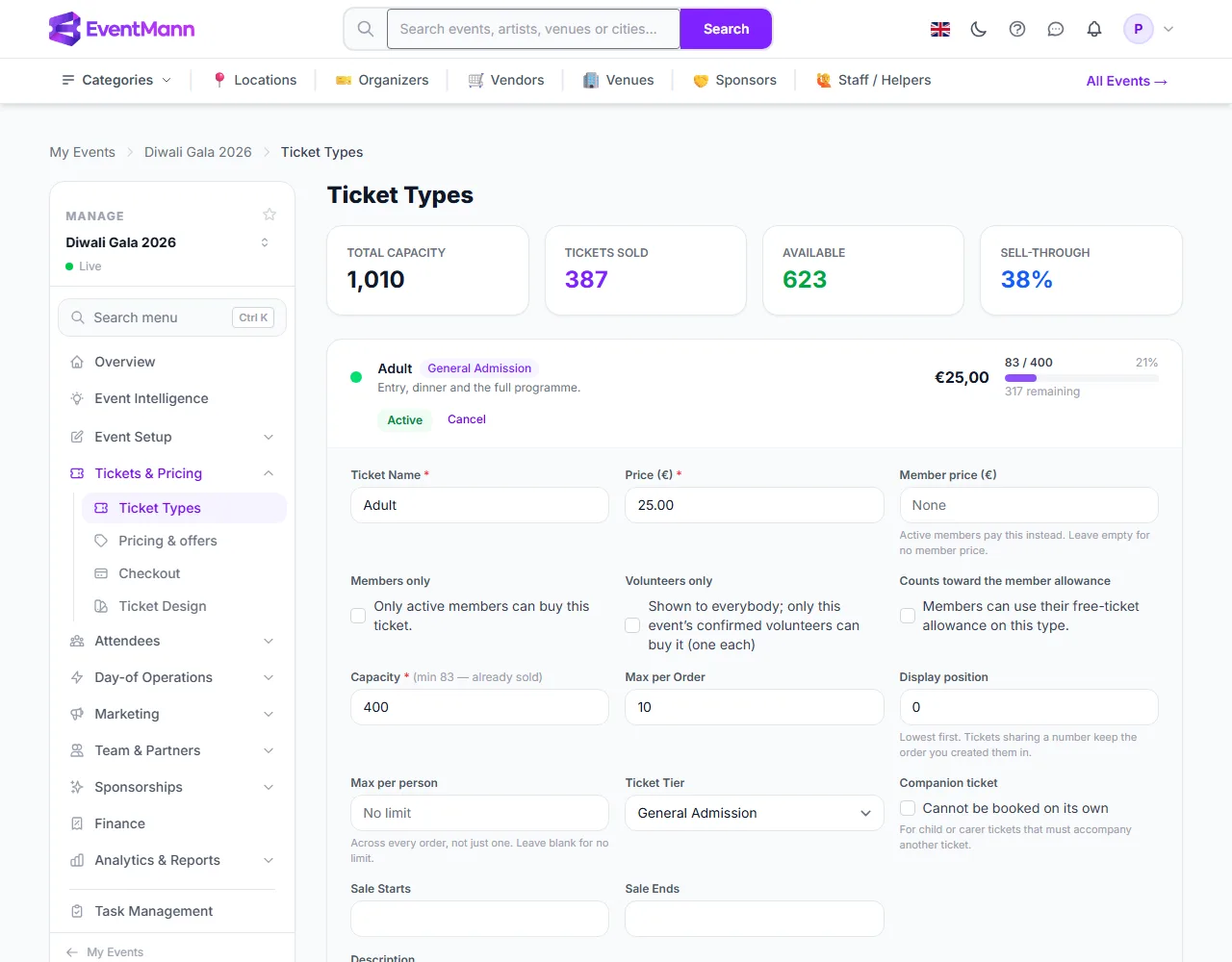
Open the event, go to Tickets & Pricing → Ticket Types and click Edit on a ticket type. Three fields concern members. (The same fields also appear on the ticket list of Event Setup → Details & dates.)
- Member price ① — what active members pay instead. Leave it empty for no member price. It can only lower the price: if a flash sale or discount is already cheaper, that cheaper price is what the buyer gets.
- Members only ② — only active members can buy this ticket type. Everybody else sees it as a locked row with a link to become a member; it is not hidden.
- Counts toward the member allowance ③ — members can use their free tickets (the plan’s Free tickets per term) on this type.
Per event
These are on Event Setup → Details & dates, in the Advanced panel.
- Member early access — members can book this many hours before the public sale opens (0 turns it off). It only has an effect when the event has a Bookings Open date.
- Members-only event — only active members can buy any ticket. The event stays listed, with a banner and a join link, so members can find it.
Benefits that need no setting on the event
- Waitlist priority — a member who joins an event waitlist is placed ahead of non-members.
- Free tickets per term — set on the plan. At checkout the allowance is used on the member’s most expensive eligible tickets first, never inside a bundle. Cancelling an order that used it gives the free tickets back.
- Member card — every membership has a public card page showing whether it is valid today, to show at the door.
- Members audience — in email campaigns you can write to everyone with an active membership.
Who counts as a member
- A person whose membership with you is paid, not ended, and inside its term — plus a 7-day grace after the end date. A gift not yet claimed does not count.
- Benefits are checked when someone buys, so a membership that lapses between choosing tickets and paying keeps the price that was quoted.
- Members must be signed in to get any benefit.
Good to know
- Benefits are never automatic: none apply to an event until you switch them on for it or its ticket types.
- The Stripe and checkout rules for memberships themselves are in Memberships.
- Members see the benefits on your public page and at checkout, from the list you wrote on the plan.
Troubleshooting
- A member did not get the member price. Their membership may have lapsed more than 7 days ago, they were not signed in, or another price was already lower.
- Members cannot book early. The event has no Bookings Open date, or early access is 0.
- The free ticket was not offered. The ticket type is not marked as counting toward the allowance, the plan has no free tickets per term, or the allowance is used up.