




Vendor Marketplace
General
3 min read
Help articles may not be fully accurate — they can lag behind the app due to frequent updates and automated translation. If in doubt, please contact support.
On this page
- 1. Who it is for
- 2. What you can do here
- 3. A vendor profile
- 4. Good to know
- 5. Troubleshooting
- 6. Related
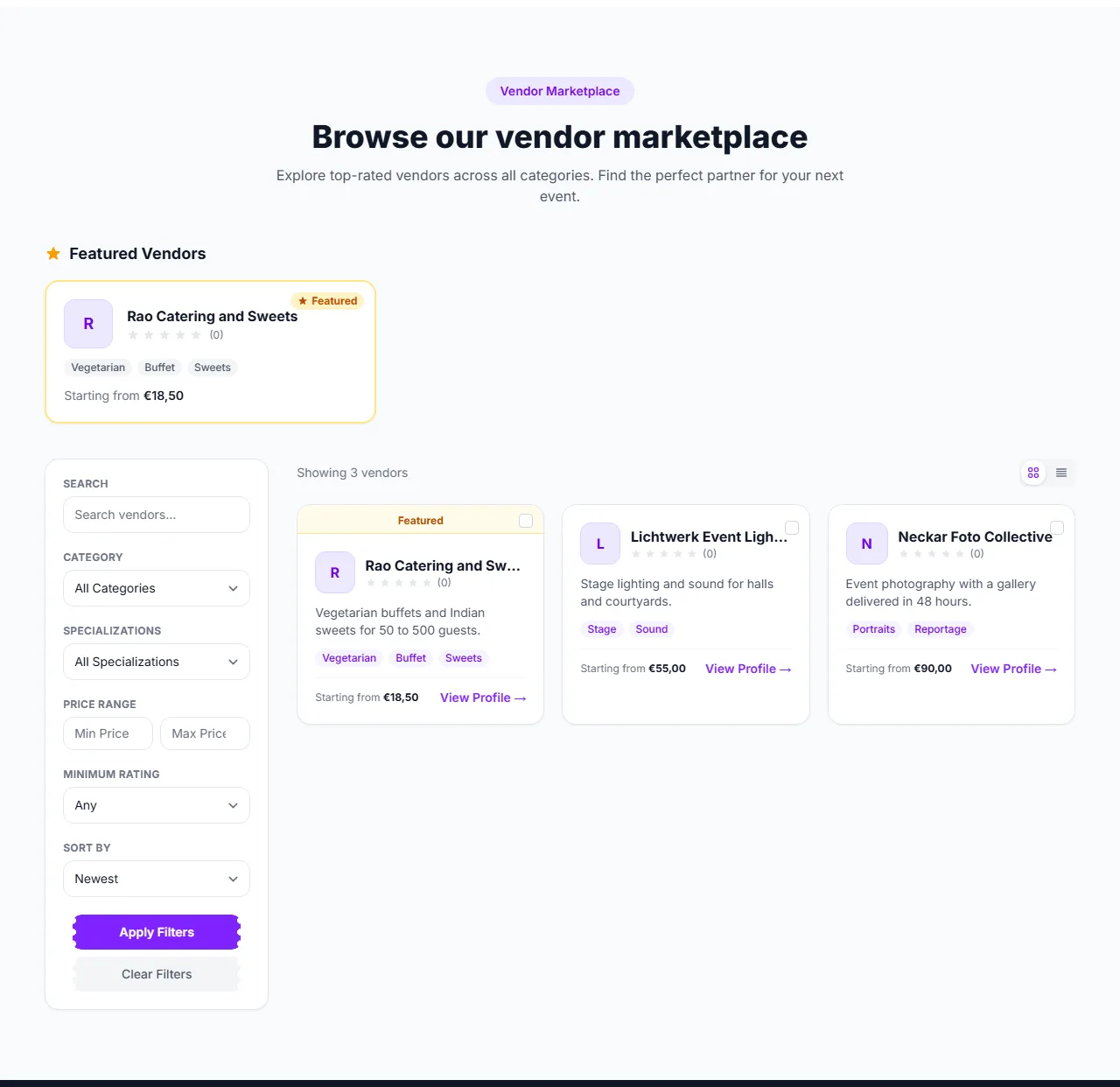
The vendor marketplace is where organizers find the businesses that help run an event — catering, photography, sound and lighting, décor, entertainment, rentals, security and marketing — and where those businesses get discovered. It is not a place to buy or sell tickets: tickets are sold by the organizers on their own event pages. You reach the marketplace with Vendors in the top bar, which opens the vendor page; the marketplace is the section Browse our vendor marketplace lower down.
Who it is for
- Vendors build a public profile once: services with prices, specializations and a bio. Organizers find them through search and filters instead of the vendor pitching to each organizer.
- Organizers (and admins) browse the profiles and send a quote request from a vendor’s page.
- Anyone can browse. Visitors from other roles see the same listing but not the quote button.
What you can do here
- See featured vendors ① — up to six vendors highlighted by EventMann appear at the top while no filter is active.
- Search and filter — by keyword, Category, Specializations tag, Price range and minimum star rating (the rating list’s first entry, Any, is the unfiltered option).
- Sort ② — Newest, Highest Rated, Name A-Z, Price: Low to High or Price: High to Low. Press Apply Filters ③ to run it, or Clear Filters to reset.
- Switch the view — the toggle above the results shows vendors as a grid or as a list.
- Compare — tick the box on up to three vendors, then open Compare Selected to see them side by side: rating, number of reviews and price range.
- Open a profile with View Profile.
A vendor profile
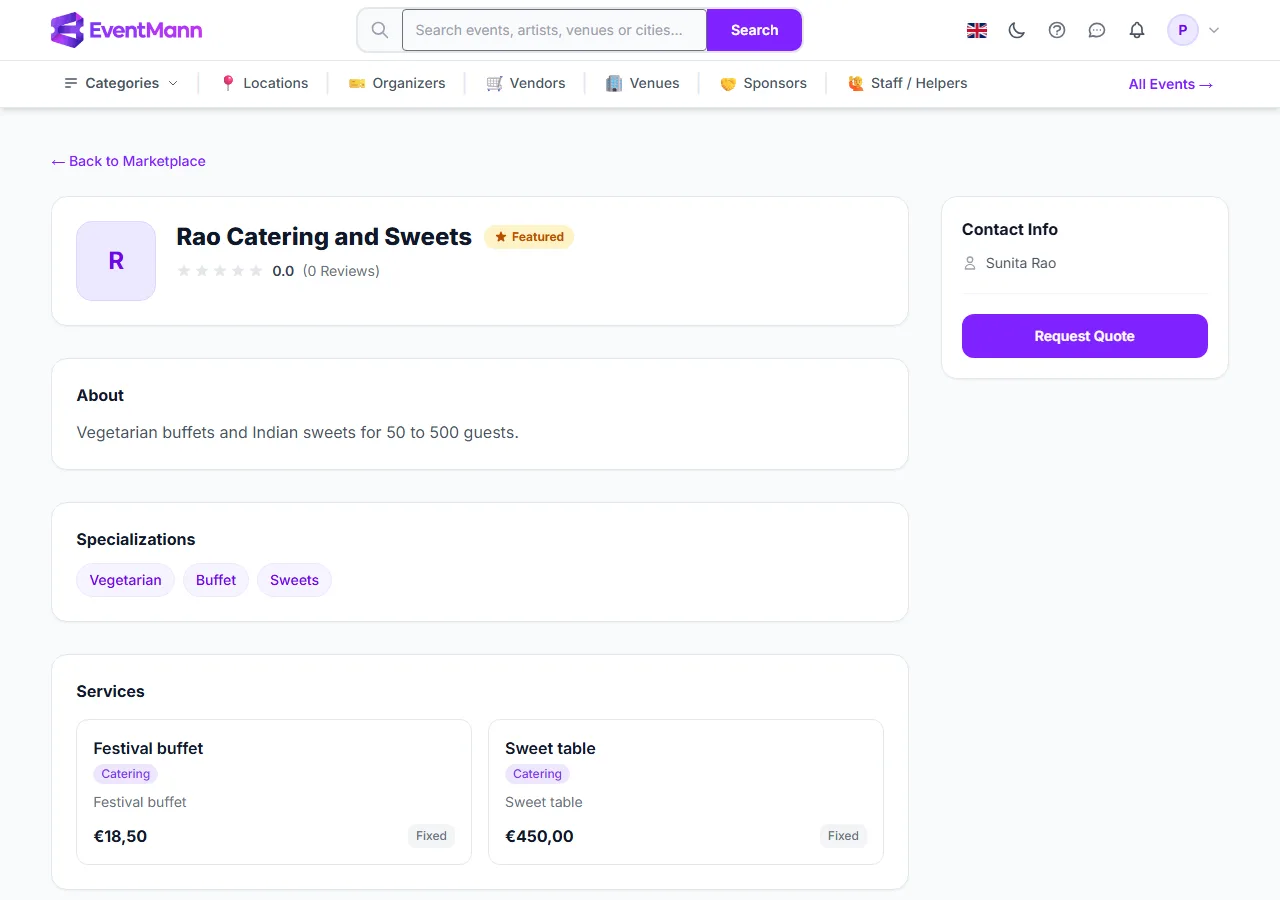
- The company name, a Featured badge where it applies, the average rating and review count, the bio and the specializations.
- Services ① — each with its price and how it is charged: fixed, hourly, daily, or on request. “Starting from” on a vendor card is the lowest active service price, not a quote.
- Reviews — ratings from organizers the vendor worked for, with comments.
- Request Quote ② — for signed-in organizers and admins. Write what you need (up to 2,000 characters), optionally name one of your events, and send it. The vendor gets a notification with your message. Pricing, scope and booking are then agreed directly between you; there is no quote or contract workflow on this page.
Good to know
- Only approved vendors are listed. A new vendor profile appears after it has been reviewed.
- Like the event lists, the marketplace shows vendors in your country when there are any; a vendor page opens from any link.
- Signed out, the quote section asks you to sign in. A signed-in attendee does not get a quote button, because quotes are for organizers.
- If you are a vendor yourself, your profile and services are managed in the vendor portal, not here (see Getting Started as a Vendor).
Troubleshooting
- I do not see Request Quote — you are signed out or not signed in as an organizer or admin.
- A vendor I know is missing — the profile may still be waiting for approval, it may be in another country, or your filters (price, rating, specialization) exclude it.
- The compare box is disabled — three vendors is the limit; untick one first.