




Staff Profile
Staff & Volunteers
2 min read
Help articles may not be fully accurate — they can lag behind the app due to frequent updates and automated translation. If in doubt, please contact support.
On this page
- 1. Settings explained
- 2. Your account status
- 3. Good to know
- 4. Troubleshooting
- 5. Related
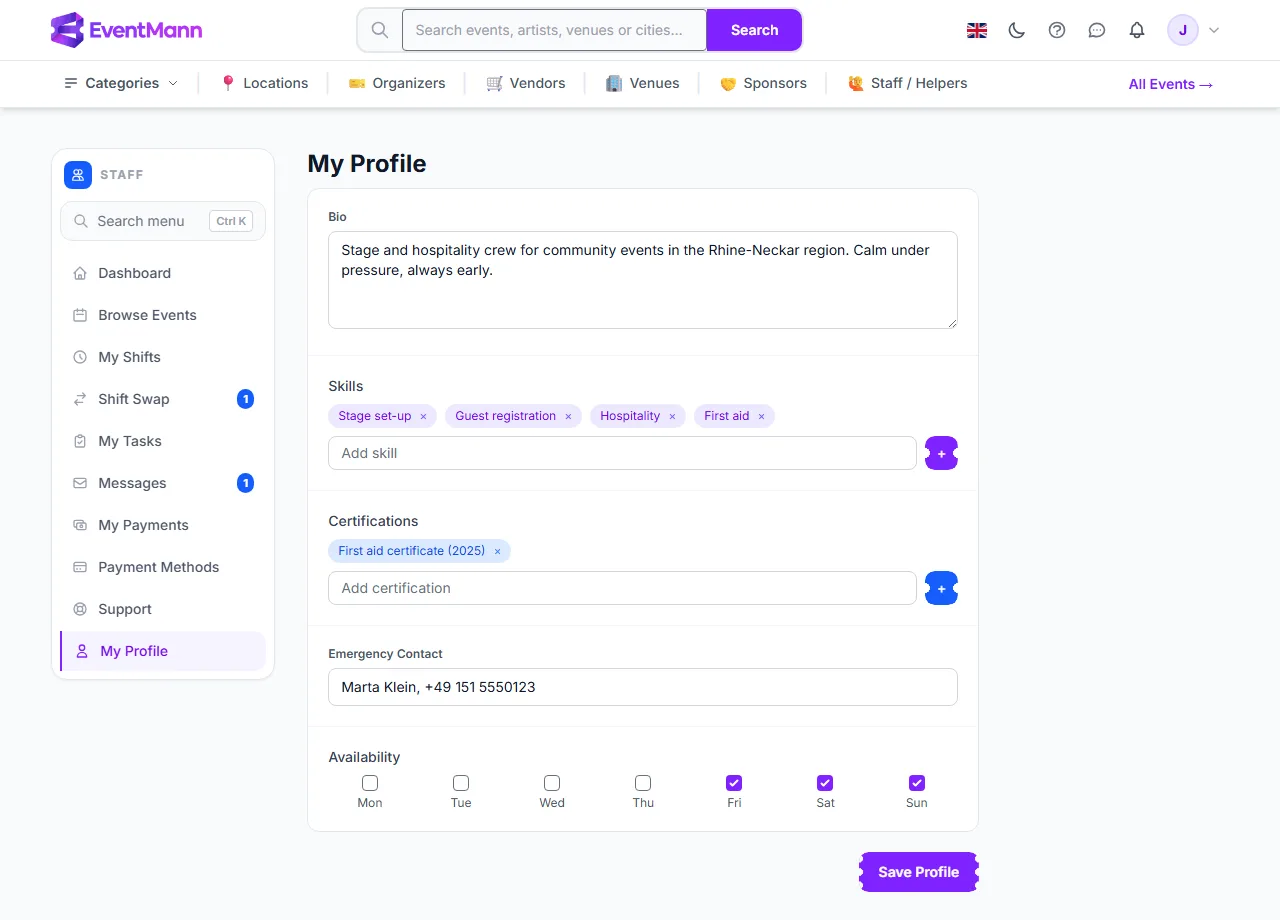
My Profile (sidebar → My Profile, or Edit Profile on the dashboard) is what organizers and administrators learn about you. Fill it in before you apply — an organizer deciding on twenty applications reads this.
Settings explained
| Field | What to enter | Who sees it |
|---|---|---|
| Bio ① | A few lines about your experience, up to 2,000 characters. | Organizers (the first 220 characters on their staff page), administrators. |
| Skills ② | Type one skill and press Enter or the + button. Each becomes a tag; the × removes it. | Organizers, administrators. |
| Certifications | Added the same way, for example a first-aid certificate. Free text, no upload. | Organizers, administrators. |
| Emergency Contact ③ | A name and phone number of someone to call, up to 255 characters. | Administrators only. |
| Availability ④ | Tick the weekdays you can usually work. | Organizers, administrators. It does not block assignments. |
Press Save Profile ⑤ to store everything. Nothing is saved until you do.
Your account status
- Pending — a self-registered account that an administrator has not reviewed. A yellow notice Your account is pending admin approval. shows on the dashboard and this page. You can still apply to events.
- Active — reviewed, or you joined through an organizer’s invitation.
- Suspended — an administrator has blocked the account. You cannot apply to events, be assigned to shifts or accept swaps. Contact support.
Good to know
- The profile is not public. It is not shown to event guests.
- Your name and email come from your account, not from this page. Change them in your account settings.
- Keep the emergency contact current — it is the only safety information the platform holds about you.
Troubleshooting
- A skill does not stick. Press
Enteror + after typing it, then Save Profile. - It still says pending. An administrator approves new staff accounts manually; if you were invited by an organizer you are already active.