




Understanding Your Ratings
Vendor Guide
2 min read
Help articles may not be fully accurate — they can lag behind the app due to frequent updates and automated translation. If in doubt, please contact support.
On this page
After an event, the organizer who worked with you can rate you from one to five stars and add a comment. Ratings are the only public feedback on a vendor profile. You see the result on your public page and on Performance; there is no separate ratings page in the portal.
How a review comes about
- The organizer opens the event’s Manage → Vendors page and finds your assignment.
- They give a rating from 1 to 5 and, optionally, a comment, and save.
- The review is published immediately — there is no moderation step and no delay.
There is one review per assignment. If the organizer saves again, the existing review is edited in place; the count does not go up.
Where it shows
- On your public profile: the star average, the number of reviews and every comment under Reviews.
- On Performance: Avg Rating (one decimal) and Total Reviews.
- In the marketplace: visitors can filter vendors by minimum rating, and compare ratings side by side.
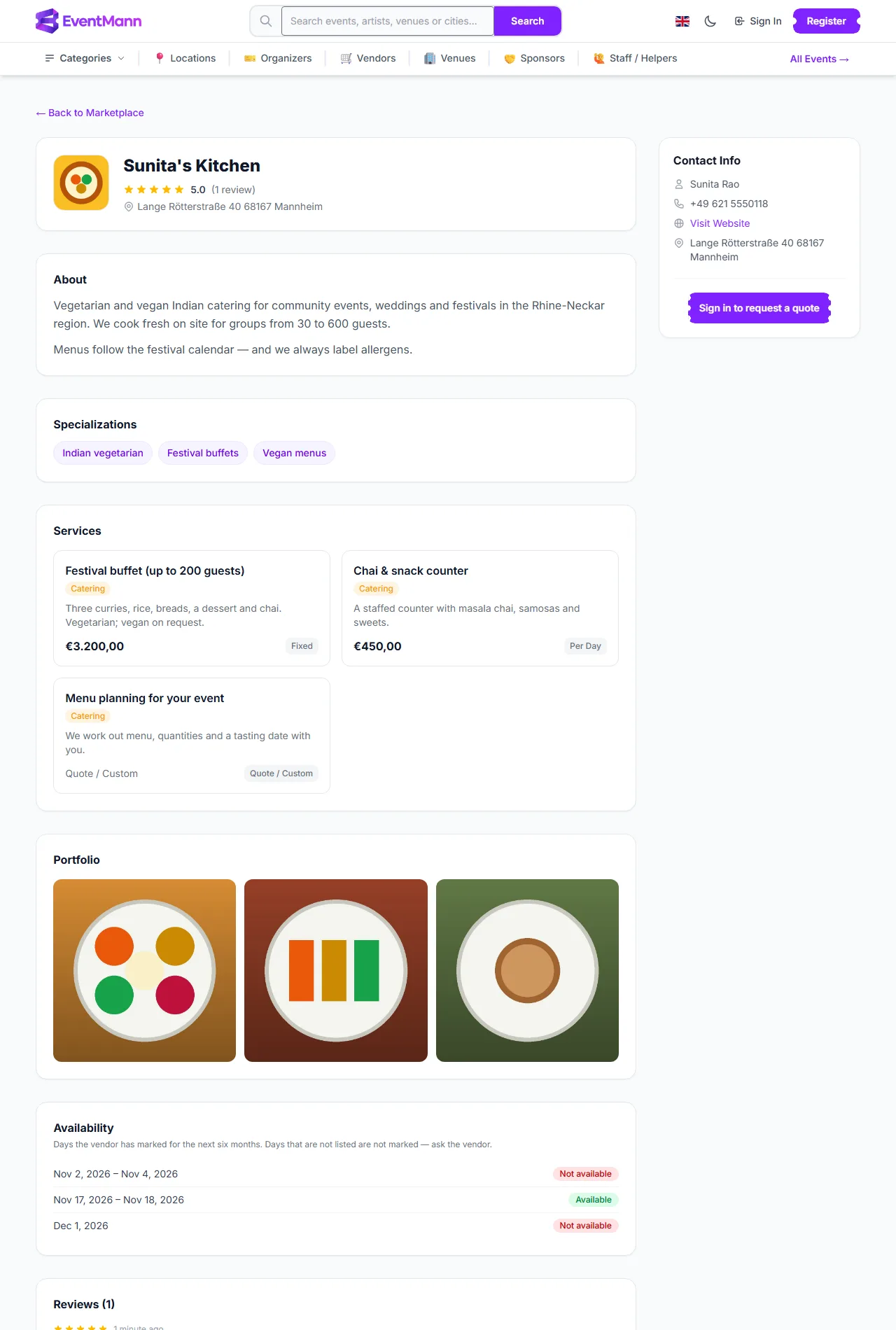
On the public page the rating and review count ① sit under the company name, the Services ② are listed below, the Reviews section ③ shows the comments and Contact Info ④ is on the right.
Good to know
- The average is a plain average of all the review ratings; there is no weighting and no time window.
- You cannot reply to, hide, dispute or delete a review from the portal. If you believe a review is wrong or abusive, use Support.
- You are not notified when a review is posted. Look at Performance now and then.
- An organizer can only review vendors they have worked with, one review per event.
What gets good reviews
- Accept or decline promptly. An invitation left unanswered does not look good.
- Complete your tasks before their due date.
- Stay within the agreed fee, and say early when something changes.
Troubleshooting
- The average looks different from what I expect. It rounds to one decimal and counts every review ever left.
- A review is missing. The organizer may not have saved one. Reviews cannot be requested from the portal.