




Where Are My Tickets?
Help articles may not be fully accurate — they can lag behind the app due to frequent updates and automated translation. If in doubt, please contact support.
On this page
- 1. 1. Look in My Tickets, not in your inbox
- 2. 2. Wait a few minutes, then check the email
- 3. 3. Booked as a guest? Ask for a link
- 4. 4. Your booking might still be pending
- 5. 5. The link in your email says it has expired
- 6. Your booking reference
- 7. If you still cannot get in
- 8. Troubleshooting
- 9. Related
You paid and cannot find your tickets. This is the most common question we get, and it almost always comes down to one of the causes below. Work through them in order; the first two fix most cases.
1. Look in My Tickets, not in your inbox
If you were signed in when you booked, open My Tickets from the account sidebar or the avatar menu. A Confirmed order shows every ticket with its own view and download buttons, and Download all for the whole order. You do not need the email at all. If the list is empty, you probably booked with a different account or as a guest (see 3 and 4).
2. Wait a few minutes, then check the email
The confirmation email carries your tickets as a PDF. The PDF is built after the booking confirms, so on a busy moment the email can take a few minutes.
- Check your spam or junk folder, and tabs such as Promotions or Updates.
- Check the address you typed at checkout. The email goes to the address on the order, which is not always the address of the account you were signed in with.
- Check Notification Preferences: if Email is switched off for Booking confirmed, the confirmation email is not sent.
3. Booked as a guest? Ask for a link
Orders made without signing in are not listed in My Tickets. You can have links to your recent bookings sent to you:
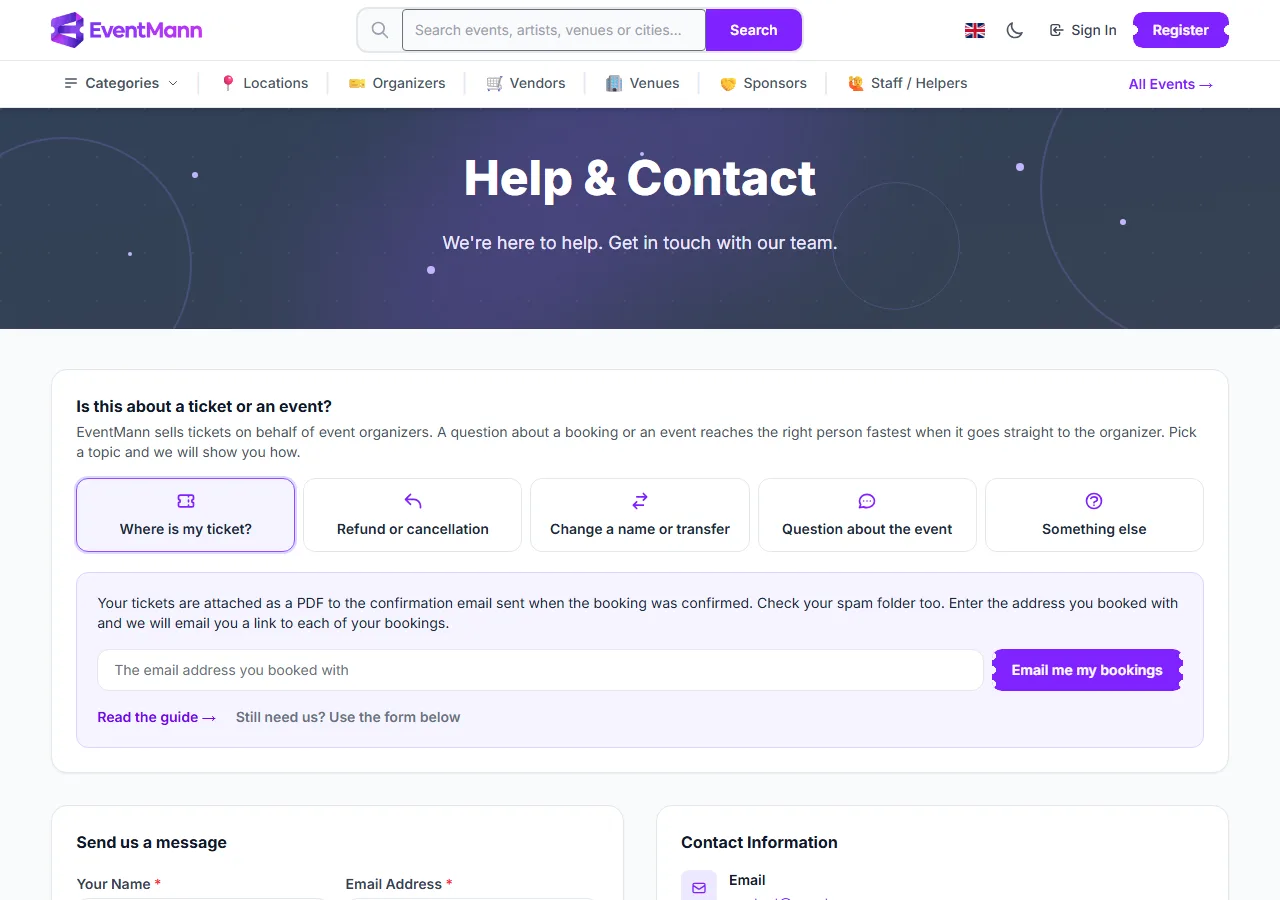
- Open Contact in the footer. The Help & Contact page opens with the question Is this about a ticket or an event?
- Choose Where is my ticket? ①.
- Enter the email address you booked with and press Email me my bookings ②.
If bookings exist for that address, one email lists each of them with a link. The page always answers the same way, so it does not reveal whether an address has bookings, and it sends at most one email per address every ten minutes. Only confirmed or approved bookings for events from the last 180 days are included.
4. Your booking might still be pending
Tickets exist only once an order is confirmed. If My Tickets shows Pending or Complete payment, nothing can be downloaded yet: the organizer has not approved the order, or the payment has not finished. See Pending Bookings.
5. The link in your email says it has expired
For your privacy, links to a booking stop working 90 days after the event. The page then offers Email me a new link; the new link goes to the address on the booking.
Your booking reference
Every order has a reference starting with BK-, shown on the order card, on the confirmation page and in the email. Door staff, the organizer and Support all use it to find your order; there is no separate ticket number.
If you still cannot get in
- Use Message organizer on the order and quote the reference. The organizer can resend the confirmation from their side. Messaging is open from 90 days before the event until it ends.
- At the venue, ask the door staff to find you by name or booking reference.
- For a payment that the organizer cannot resolve, write to Support with the reference.
Troubleshooting
- The PDF will not open from my mail app — save it to your device first, then open it from your files.
- I booked for someone else — the email went to the address entered at checkout. Ask that person, or open the order in My Tickets if you were signed in.
- The order shows Cancelled or Refunded — tickets are not available for either state.
- No signal at the venue — save the PDF to your phone beforehand, or take a screenshot of the QR code.